are you sure that its like that only with this one setting?
According to those french guys - yes.
Im afraid to experiment more , lol or I well get new shiny 1.5 Frostbite Grpahics ^^
Whats that?
Confirmed. Same issue here.33
Same! didn’t even notice till this post.
Please fix it!
Yeah , and when you know it , ITS fking annoying.
same here
ALSO motion blur IS NOT PRESENT unless you have set post-processing quality to AT LEAST high, texture filtering seems to have absolutely no effect on how they look
AND again - BUMP this thread !
Thanks for this ,posted my comparison screenshots below -
Low
Medium
High
Ultra

Nice , but i hope they will fix bug , when no matter what settings - terrain.dec doesnt change and looks like FB2 engine…
DICE, please fix this rather sooner than later.The worst thing is, that during multiplayer - there is absolutely no difference in terms of vegetation mass/density.
I’ve tested it on Paracel Storm and Lancang Dam (Conquest Large).
However, “playing” on Test Range with ‘Normal’ Terrain Decoration seems to produce the richest environment in terms of vegetation mass/density:
Terrain Decoration set to Low:
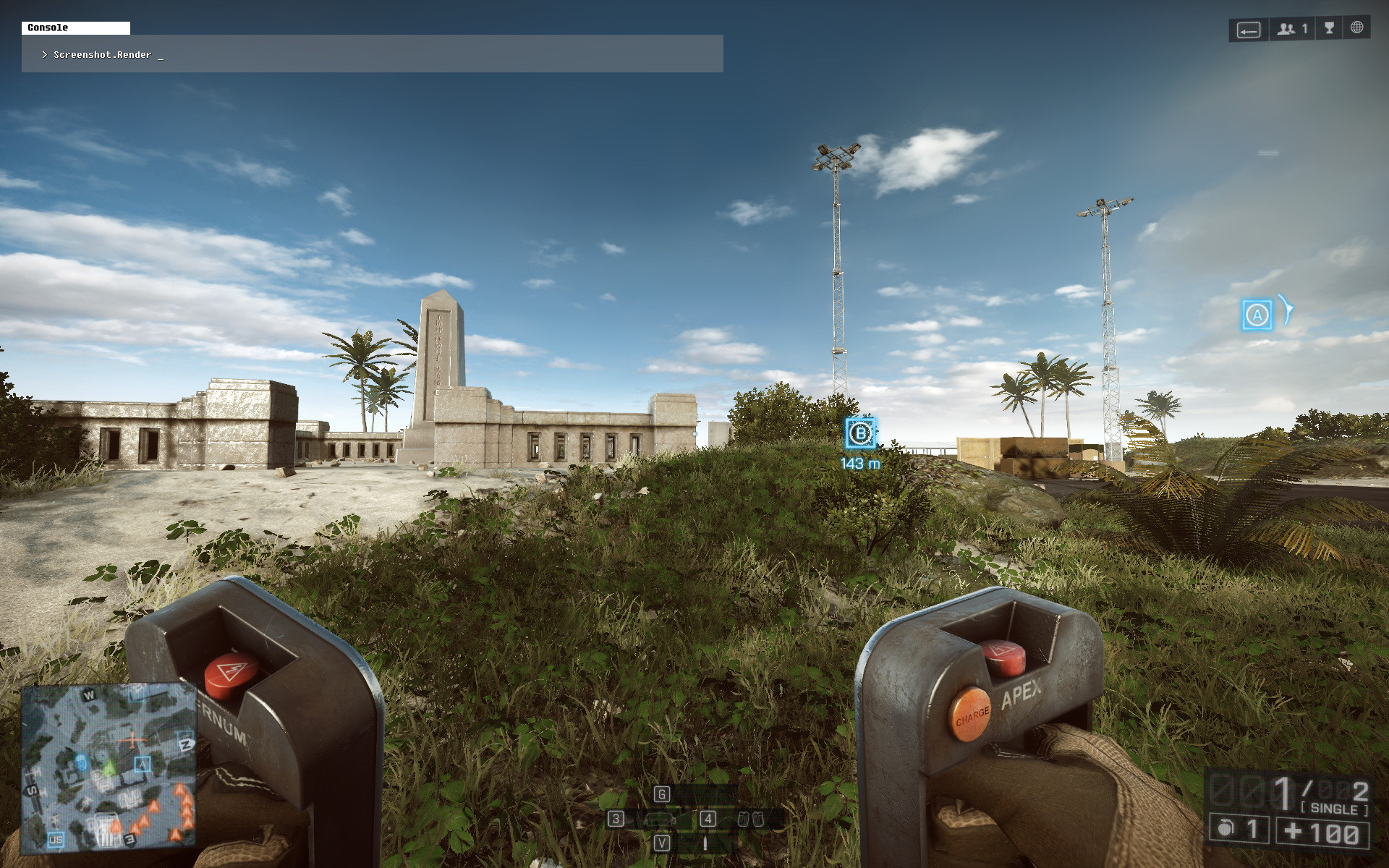
[i.imgur.com]
Terrain Decoration set to Medium:
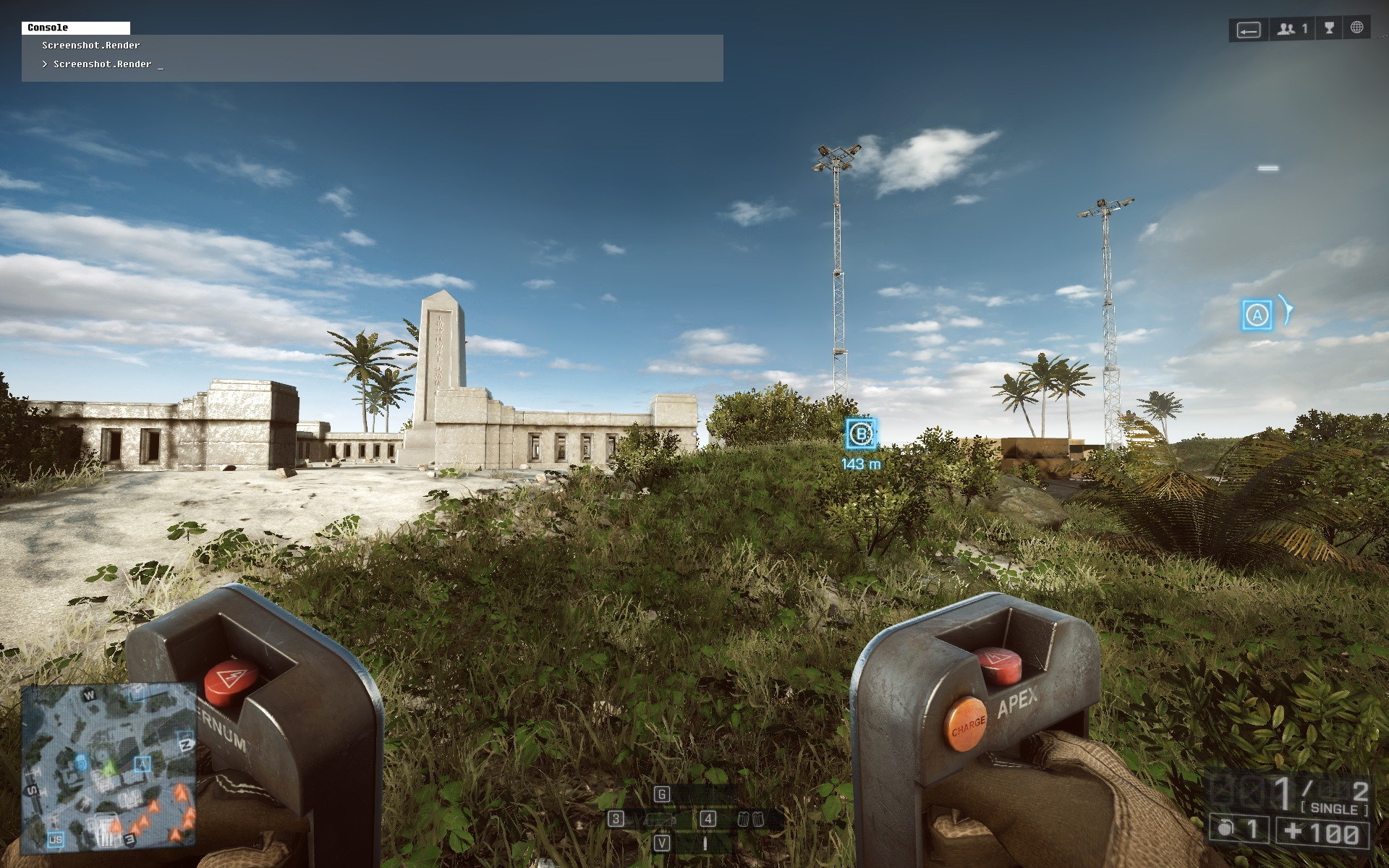
[i.imgur.com]
Terrain Decoration set to High:
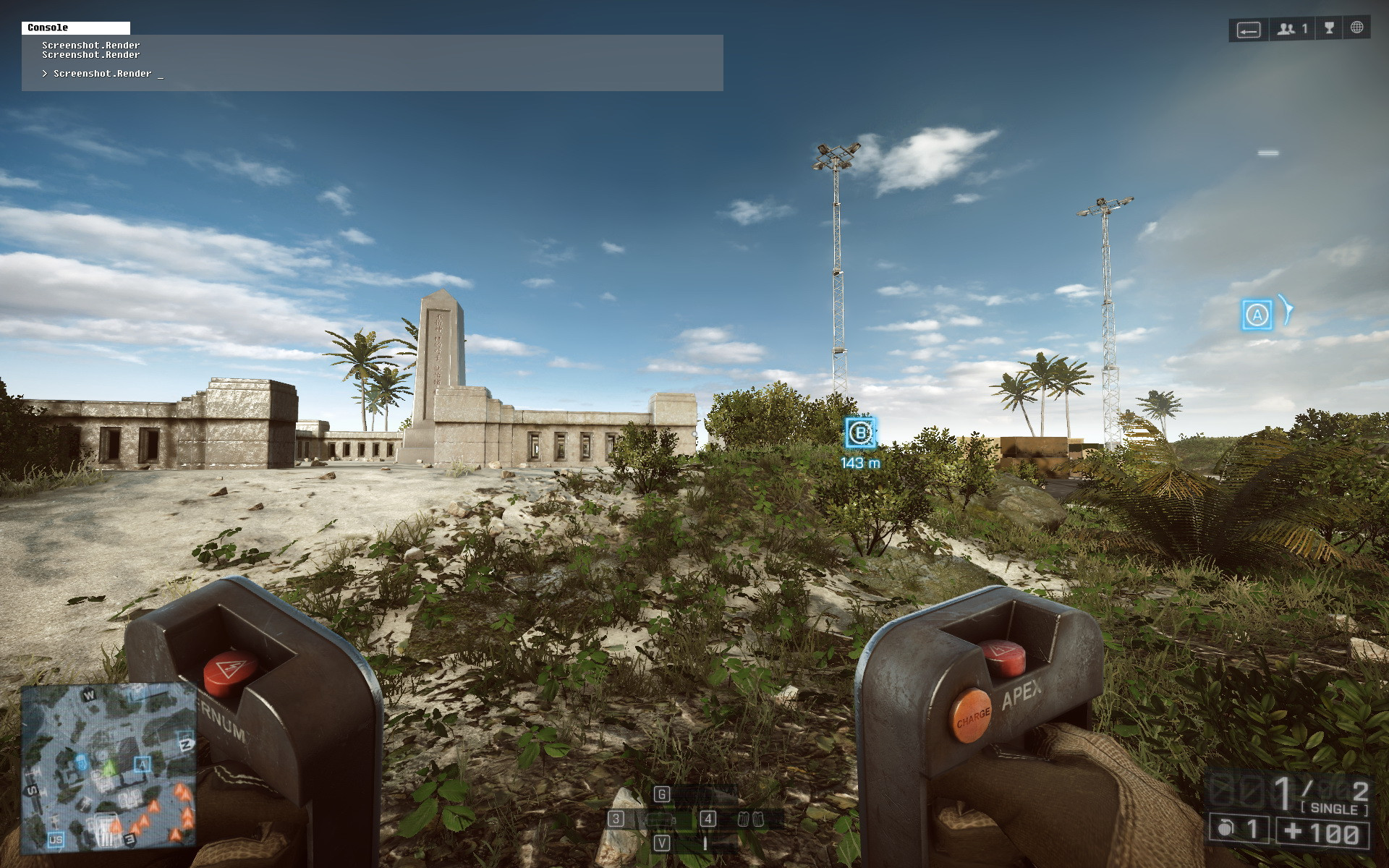
[i.imgur.com]
Terrain Decoration set to Ultra:
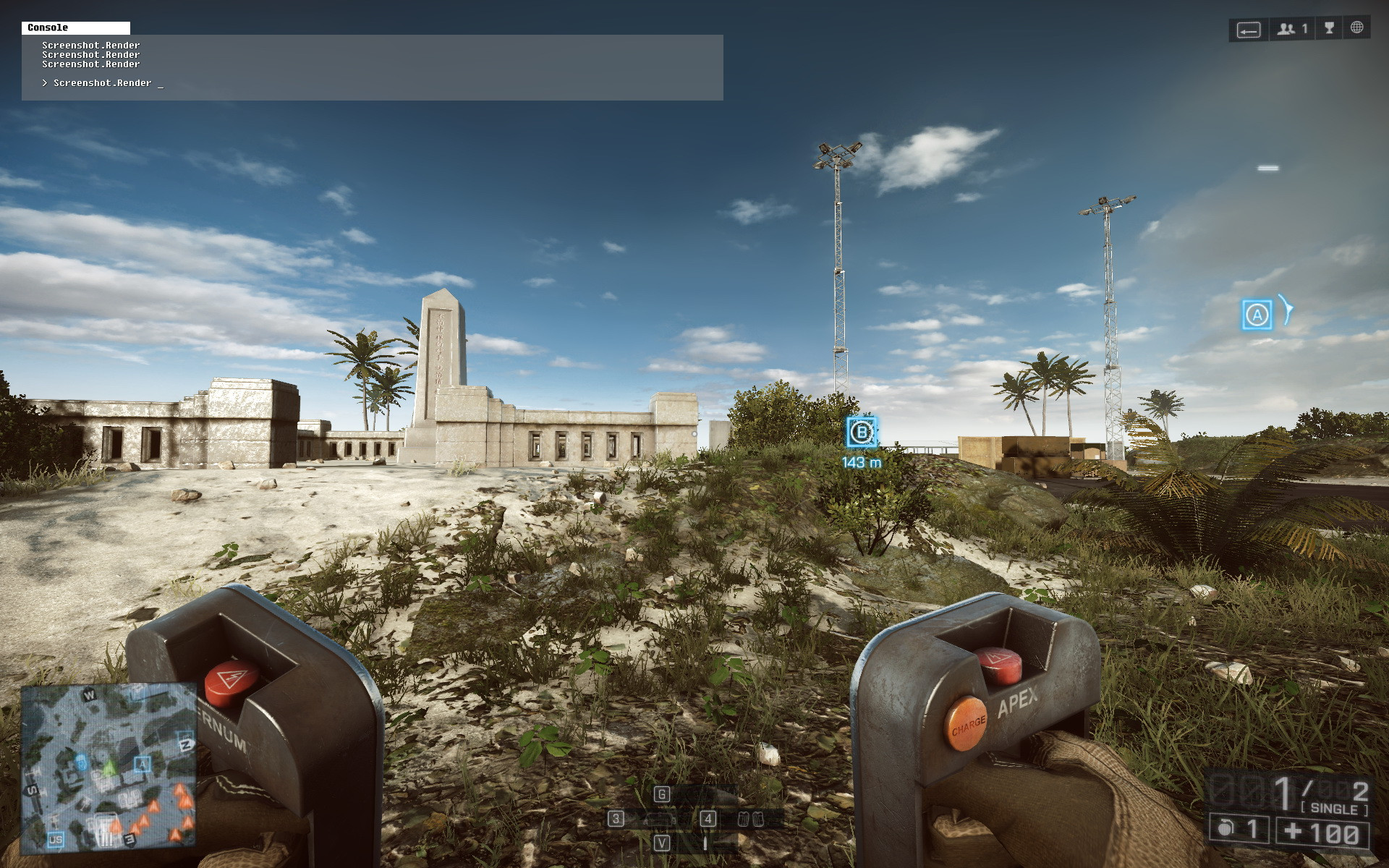
My in-game video settings, except for Terrain Decoration, which is now set to ‘Normal’:
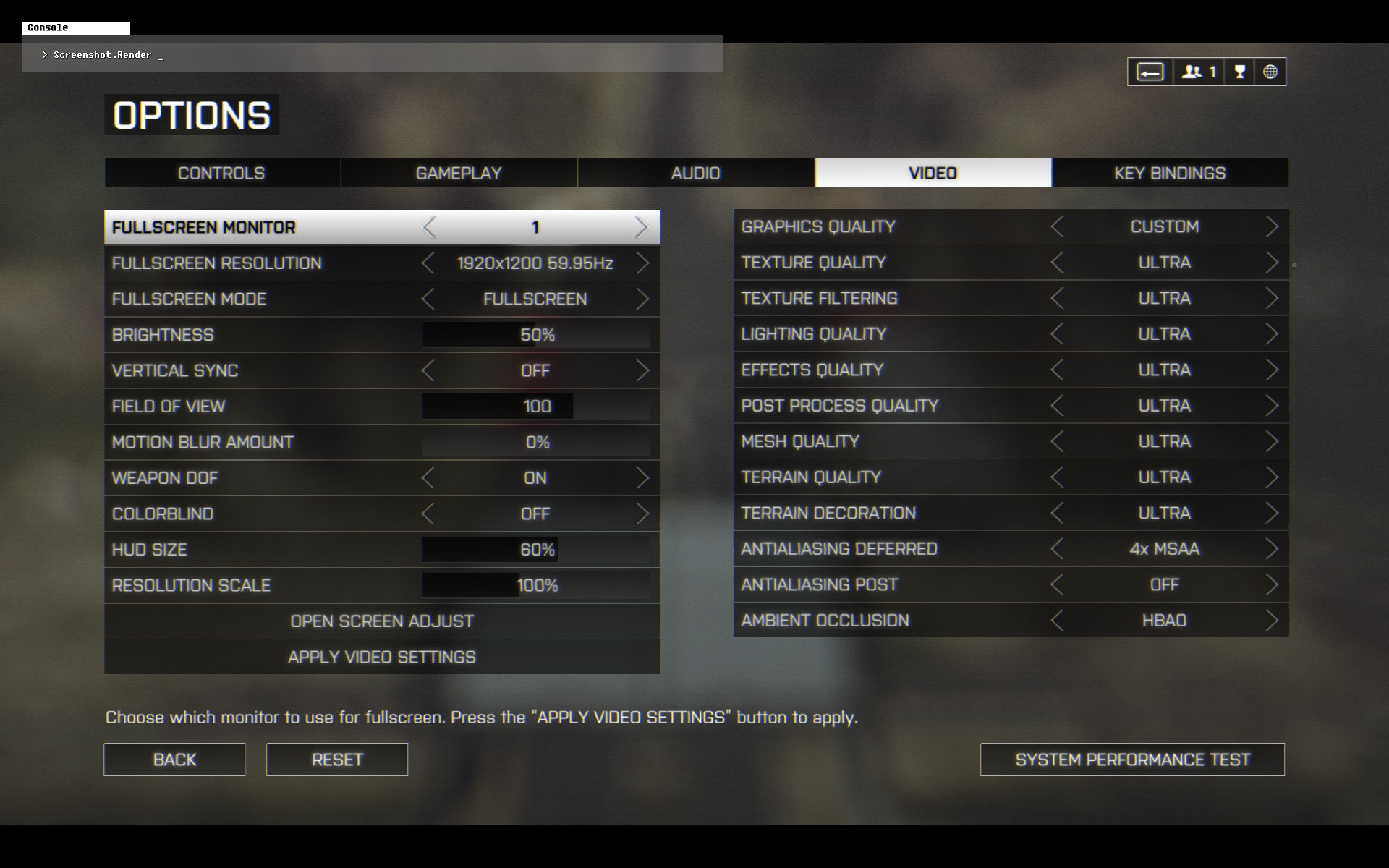
My setup:
SLI GTX 780 w/ GeForce driver v331.65 WHQL (default GeForce driver settings, ‘NVIDIA Experience’ not installed).
Windows 8.1 64-bit
Regards,
This is ridiculous.
If you are using windows 8 you have different vegetation (that of FB 2)
Bump, this bug should be aknowledged by a DICE developer by now.
For me normal=ultra but the vegetation is like W8 even though I have W7 x64… oh my god, Dice…
I am also getting this issue. Battlefield 4 Terrain Decoration - Album on Imgur [imgur.com] As you can see, medium is ultra for me. I quickly went in campaign and tested and the issue is the same there. I have Windows 7 X64, AMD hd 7950, Catalyst 13.11 beta drivers.
Also, what’s up with
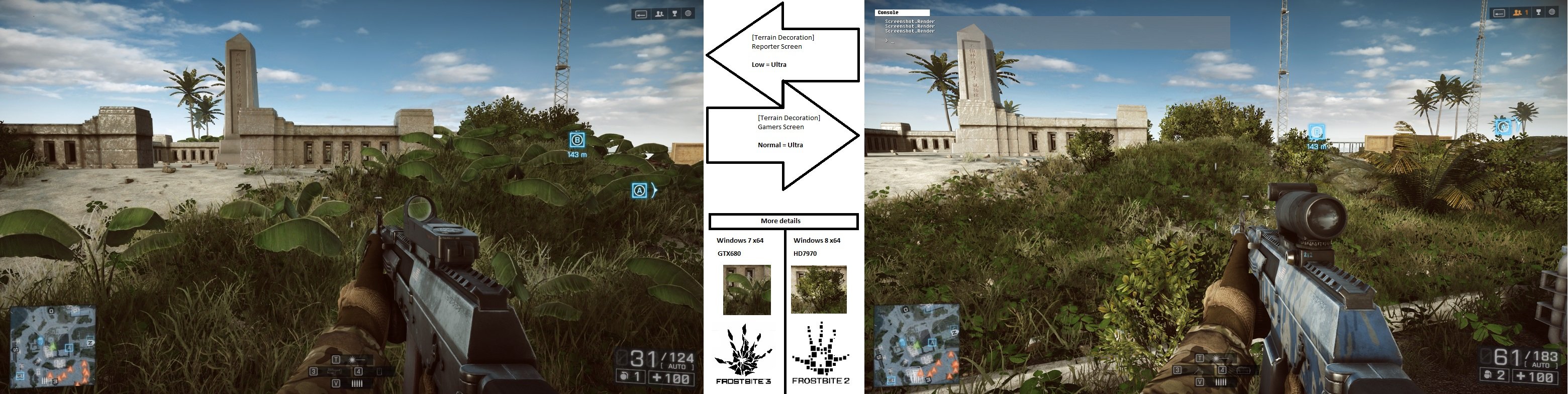
[image.noelshack.com] picture? I’m on Windows 7 X64 and I’m not getting that awesome foliage. Seems that DICE really screwed up this setting.
I really hope that these issues get fixed, but honestly they should just default the game to the highest terrain decoration setting and then remove the setting altogether. You shouldn’t be able to change graphics settings to get an advantage over other players. The large pieces of foliage block line of sight and the grass obscures the outlines of players, especially if they have the right camo picked, so it affects gameplay. The frame rate impact from low to ultra is minimal anyways as you can see in my screenshots. I highly doubt that changing this setting on a low end computer would make the game go from unplayable to playable. At the very least if my suggestion isn’t possible or practical (maybe it does affect frame rate significantly on low end systems) DICE should make the large player obscuring pieces of foliage always visible no matter what terrain decoration setting you have.
wwohhahh… I don’t even have those large plants
It’s so messed up… Seems like it’s random when I change this…
I am getting the the “fb2” plants on win7 64bit
edit: yeppp.. it’s random like hell!!!
Same on win8.1 64 bit… “fb2” plants and terran decoration is messed up, random…
Sorry, I hit quote instead of edit. Please delete this post.
Bump!!!