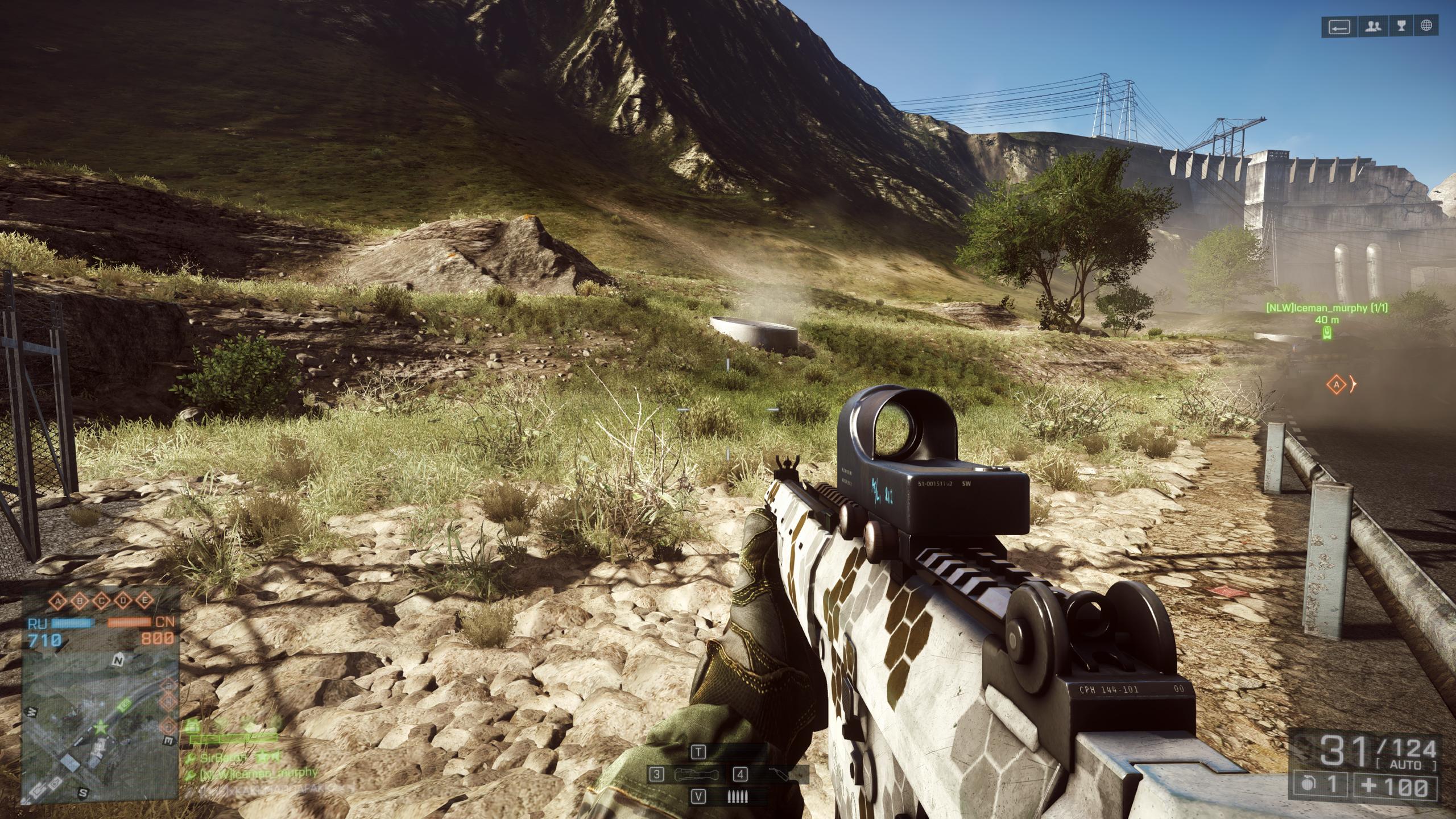
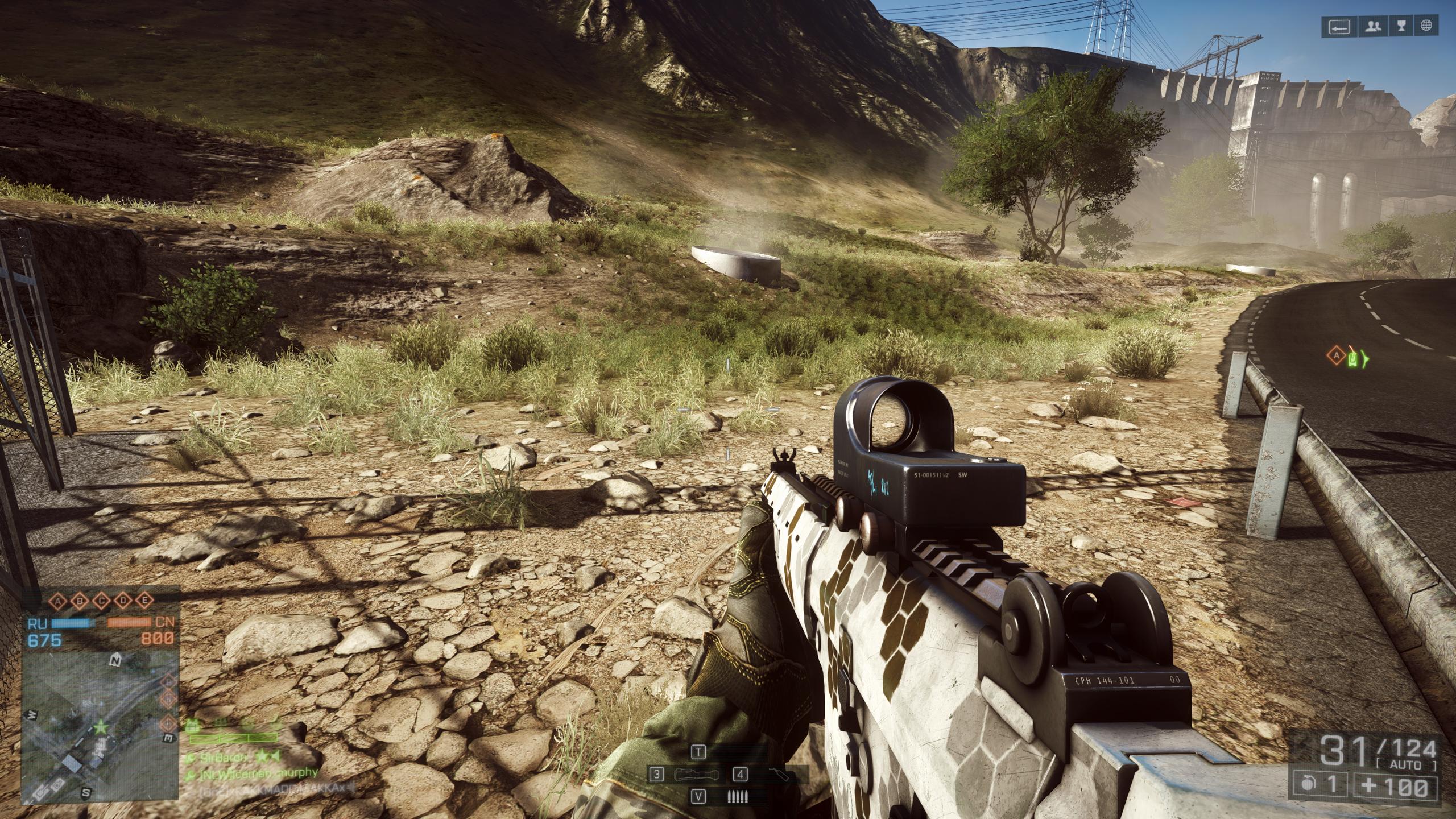
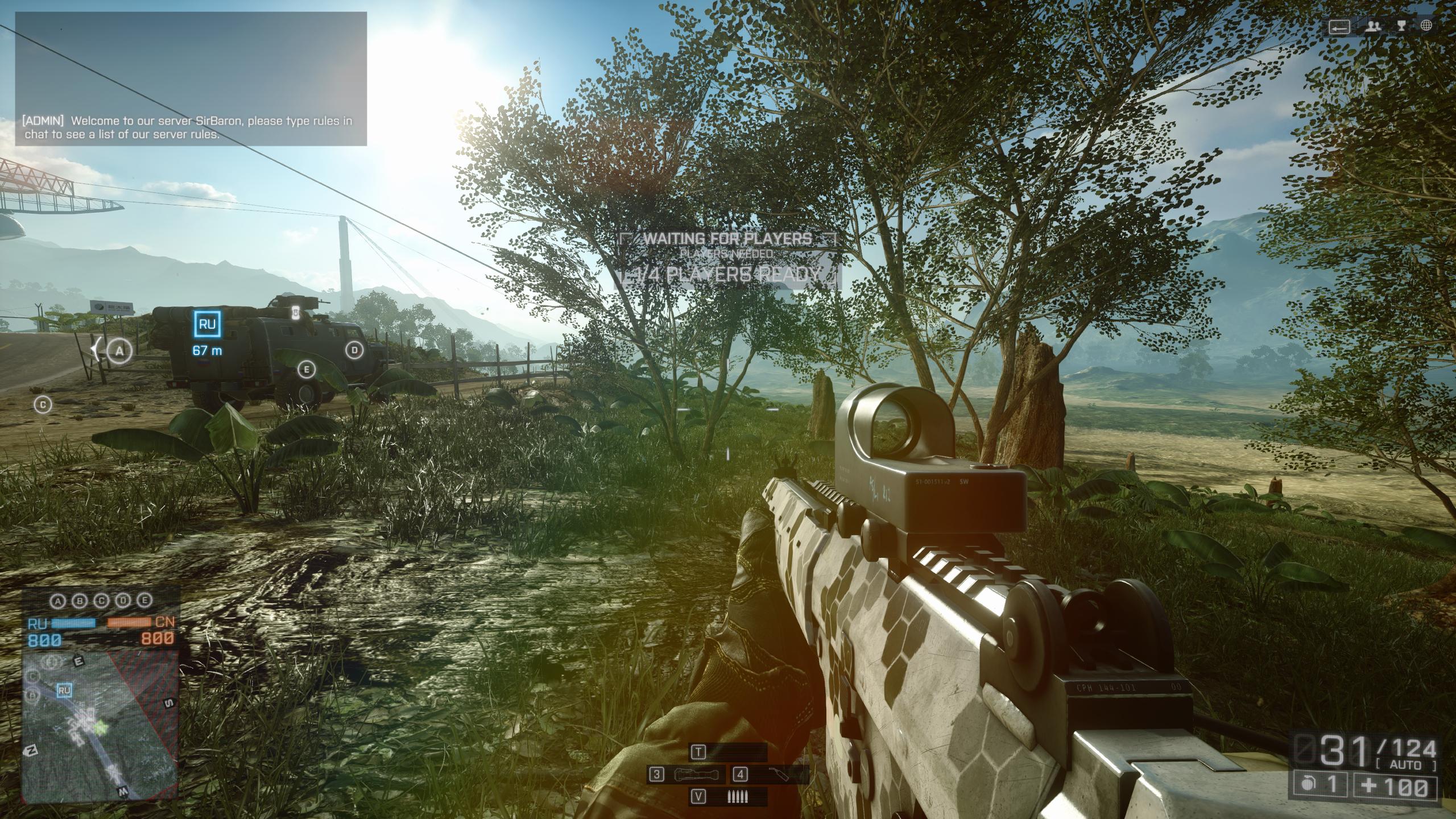
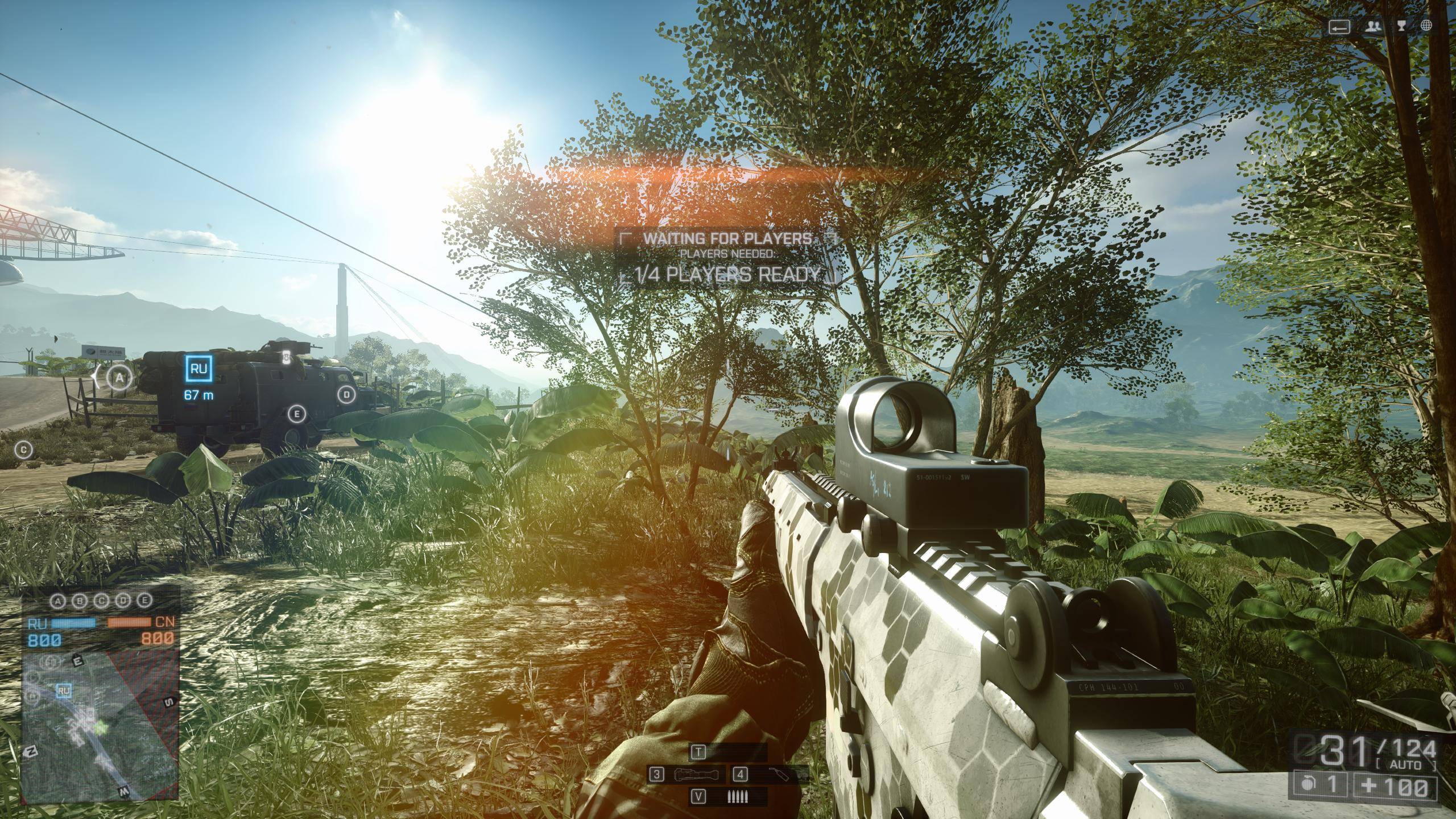
with the 64 bit version, all my settings have the same effect what seems to be low.
when i force the game to 32 bit, my setting for ultra = low, high = medium, medium = ultra, low = high
0_X
with the 64 bit version, all my settings have the same effect what seems to be low.
when i force the game to 32 bit, my setting for ultra = low, high = medium, medium = ultra, low = high
0_X
I have this problem, even launching in 32bits 
bump
You can’t choose in real 32bit (windows 8.1) only low! Rest is greyed out.
I wonder when someone from DICE will speak about this…
**edit i cannot even make mine look like that ultra screen maybe I’m just not in the proper place I don’t know.
edit again it has all the grass just the bigger plants not showing up.
On every setting my terrain is on HIGH.
Fix this PLEASE!
I had to reboot the game in ultra settings to get the actual ultra terrain decorations to work, redeploy was not enough..
Might work for others as well (if you are stuck on only low visuals)
FAIL GAME IS FAIL. Yet another example of no QA
Yes, tried it… exact same here. Were running with mixed up settings… is it just decoration that ultra is mixed up on I wonder?
+1232456465465^4564654646
Its hard to tell , IMO. Mybe every thing is fudged up now , lol. And now , knowing this , My Ultra settings , doesnt look like ULTRA settings any more, and its annoying.
But in french forums , one of mods actually posted and said - He will pass this info to Dice Dev team. I hope so.
I restarted game multiple times after changing low vs ultra settings , and i had the low vegetation always. Missing somethings else?
edit: its “GstRender.UndergrowthQuality” at PROFSAVE_profile right?
edit2: let me try 32bit .exe 
edit3: both 32 64bit, i restarted game for changes, + redeployed also , still All is the same LOW for me. And strange , my QUALITY Presets(changing all settings to ultra low vs) dissapeared from options
yeah, when I start the game, the vegetation is in low, independently of the setting (ultra, normal, high, low).
Changing my settings from ULTRA to LOW does not change anything. It always looks like the ULTRA setting in OP, so it looks like the lowest quality one. I guess it doesn’t really matter though because I can;t play due to the abhorrent rubber-banding and ridiculous amounts of crashes… not to mention the hilariously screwed up textures sometimes.
This is really shaping out to be the worst launch in FPS history.
Unbelievable.
You gotta redeploy to apply the new changes.
Edit: I’m actually having the same problems now ultra (low) quality textures on every setting.
Edit 2: At medium I get the best textures with the most plants and vegetation. I think i found a bug within a bug! The medium setting with the best textures does not stay that way after I launch another game. I get the same very low textures no matter what setting I set it as. I found that launching a game with ultra textures setting, then changing it to medium, then redeploying yields the best textures. This is a weird bug that dice should fix.
The last link in the OP shows a difference between windows 7/8 and respectively frostbite engine 3/2. Am I playing on windows 8.1 with frostbite 2 and not frostbite 3? Maybe that’s a reason why windows 8 is better according to everyone on this forum.
This is Low
This is Ultra
This is Ultra
This is Low
My settings will not change no matter what I choose. Redeploying/restarting. Same thing, it looks to be stuck in medium settings since its not as bare as the low screens, but not nearly as full as the (real) ultra screens.
W8.1, 770sli
Ultra = low for me too, thanks for the heads up