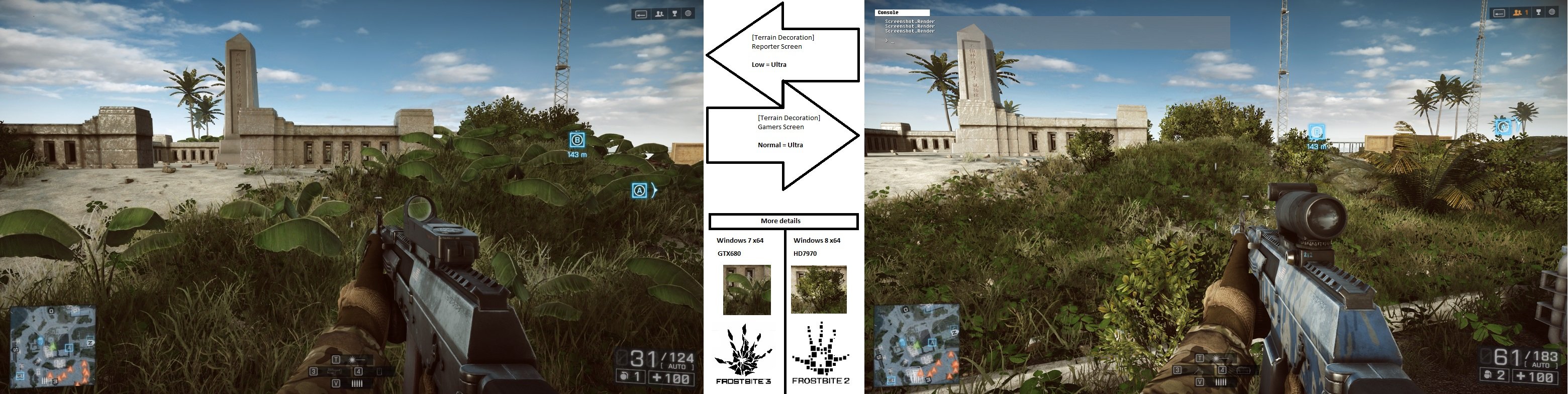
CONSPIRACY ALERT: DICE DID THIS TO TRICK REVIEW BENCHMARKS

CONSPIRACY ALERT: DICE DID THIS TO TRICK REVIEW BENCHMARKS
I wonder if you could set the terrain decoration setting to medium (aka ultra) in the config file and make the config file read-only? Thus forcing the game to use medium (ultra) setting
I don’t like the look of low(ultra).
There is just too much decoration, to the point where it looks unrealistic and repetitive.
prefer a bare surface and without anything?
Am I saying that?
almost lol
Tried that. Doesn’t work.
It’s like if game was ignoring that setting when launching.
This is getting more ridiculous by the day.
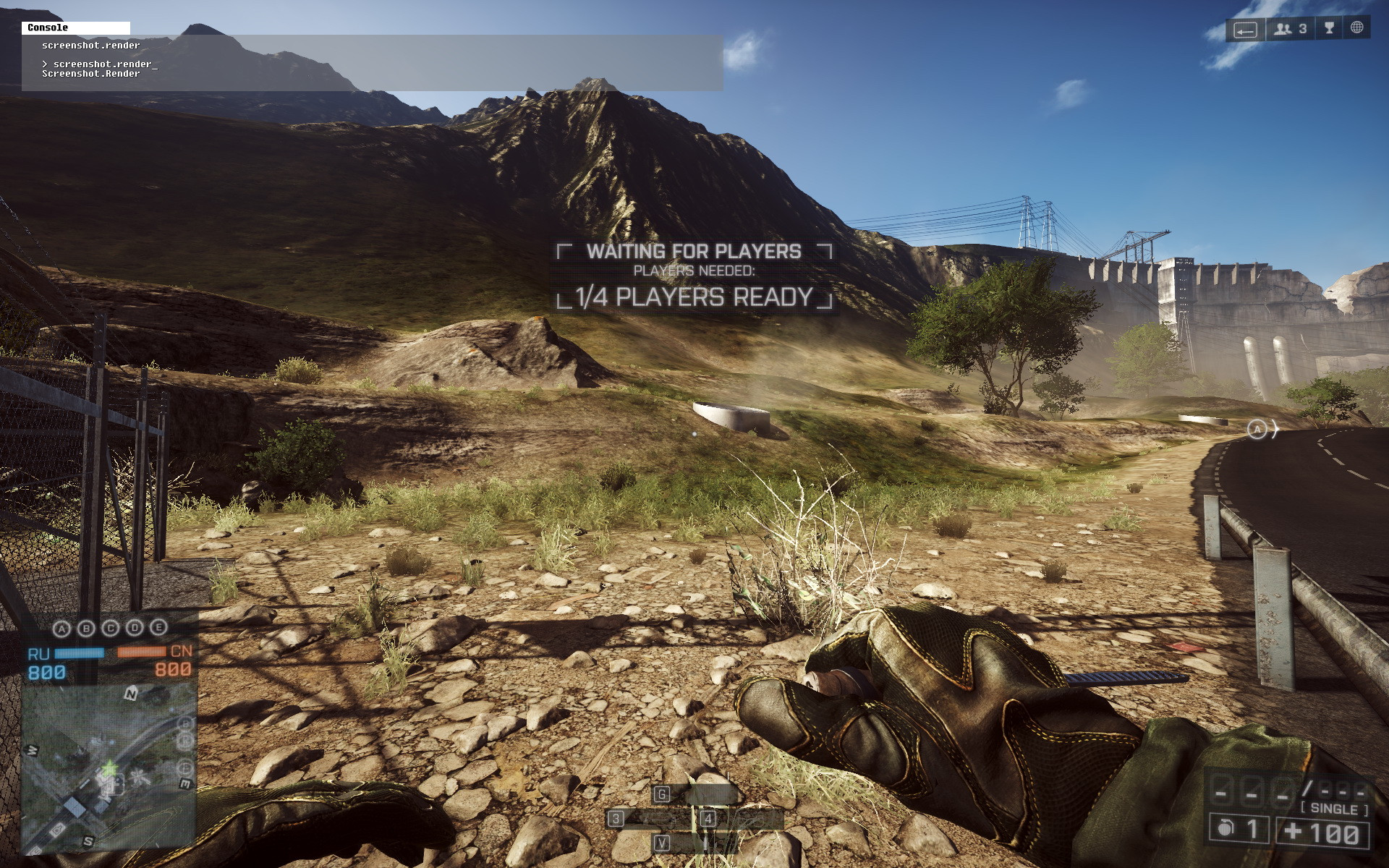
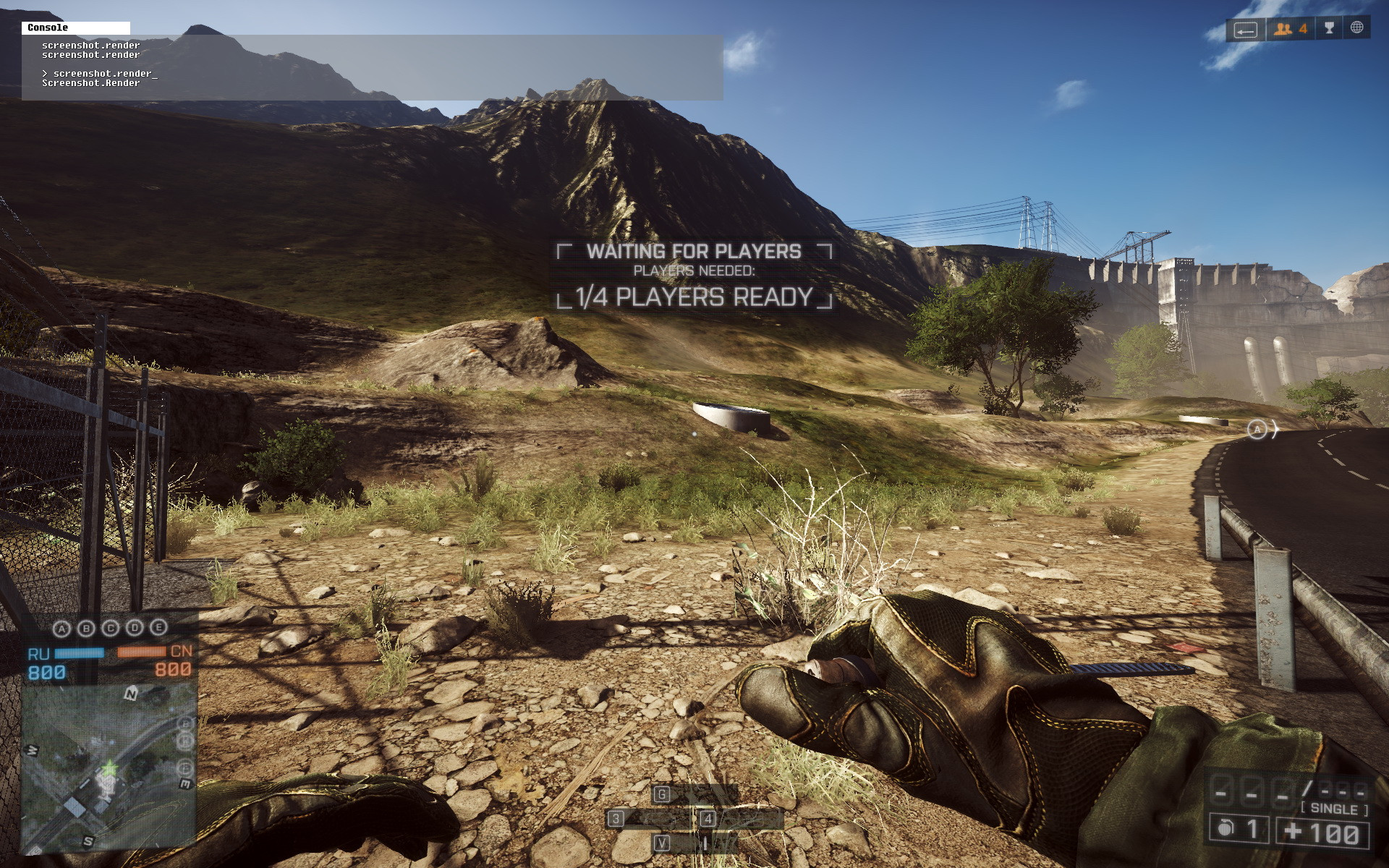
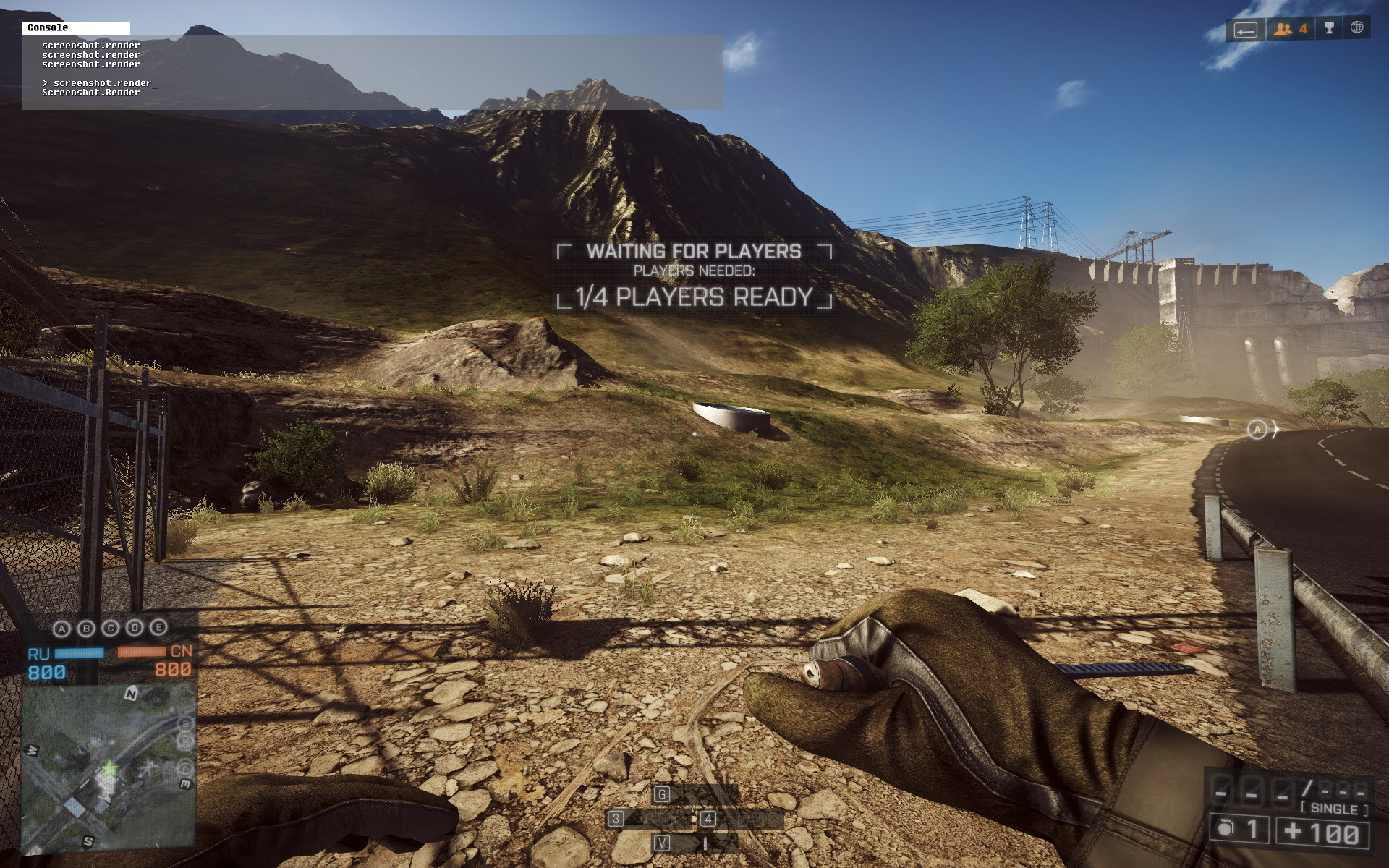
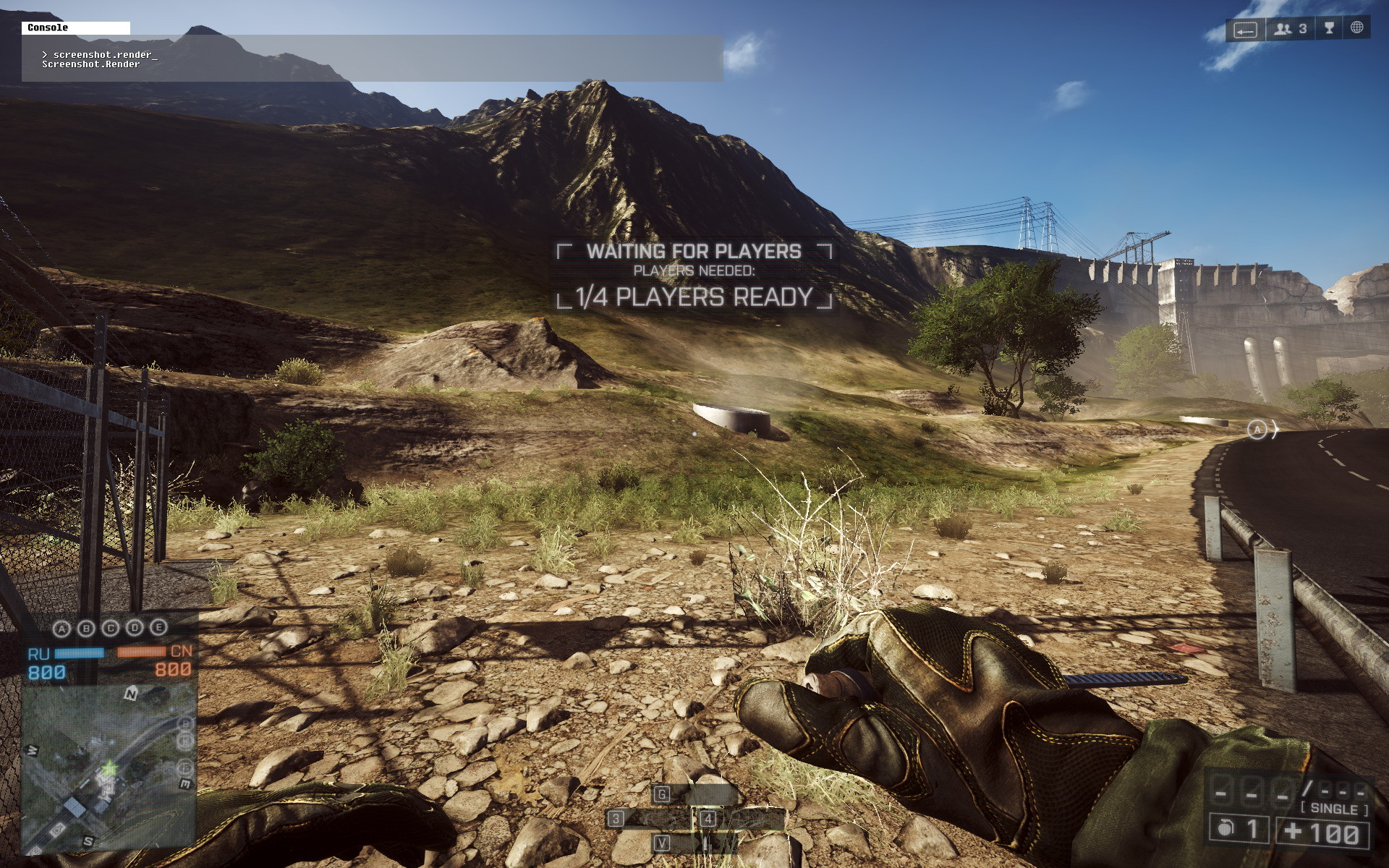
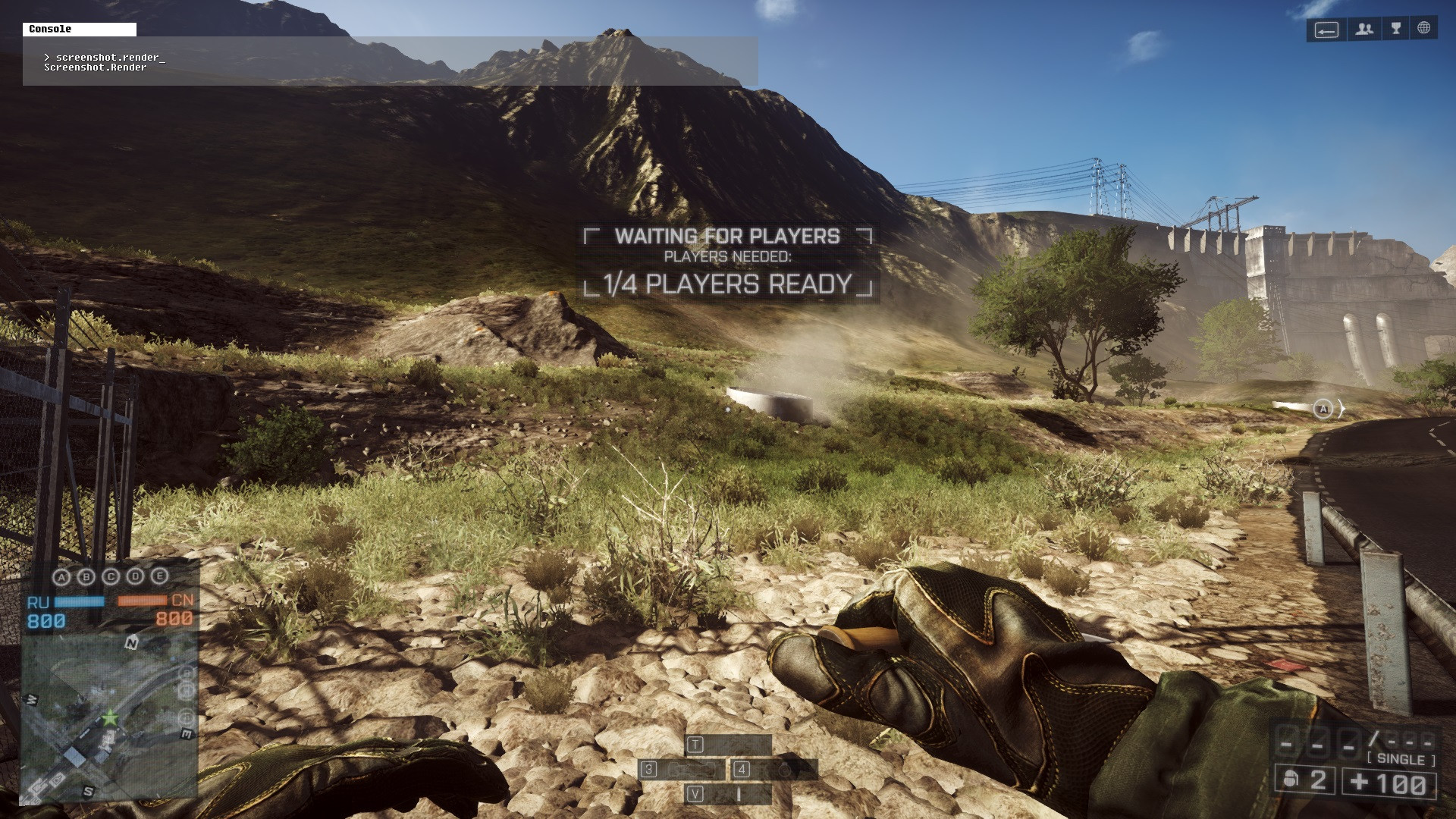
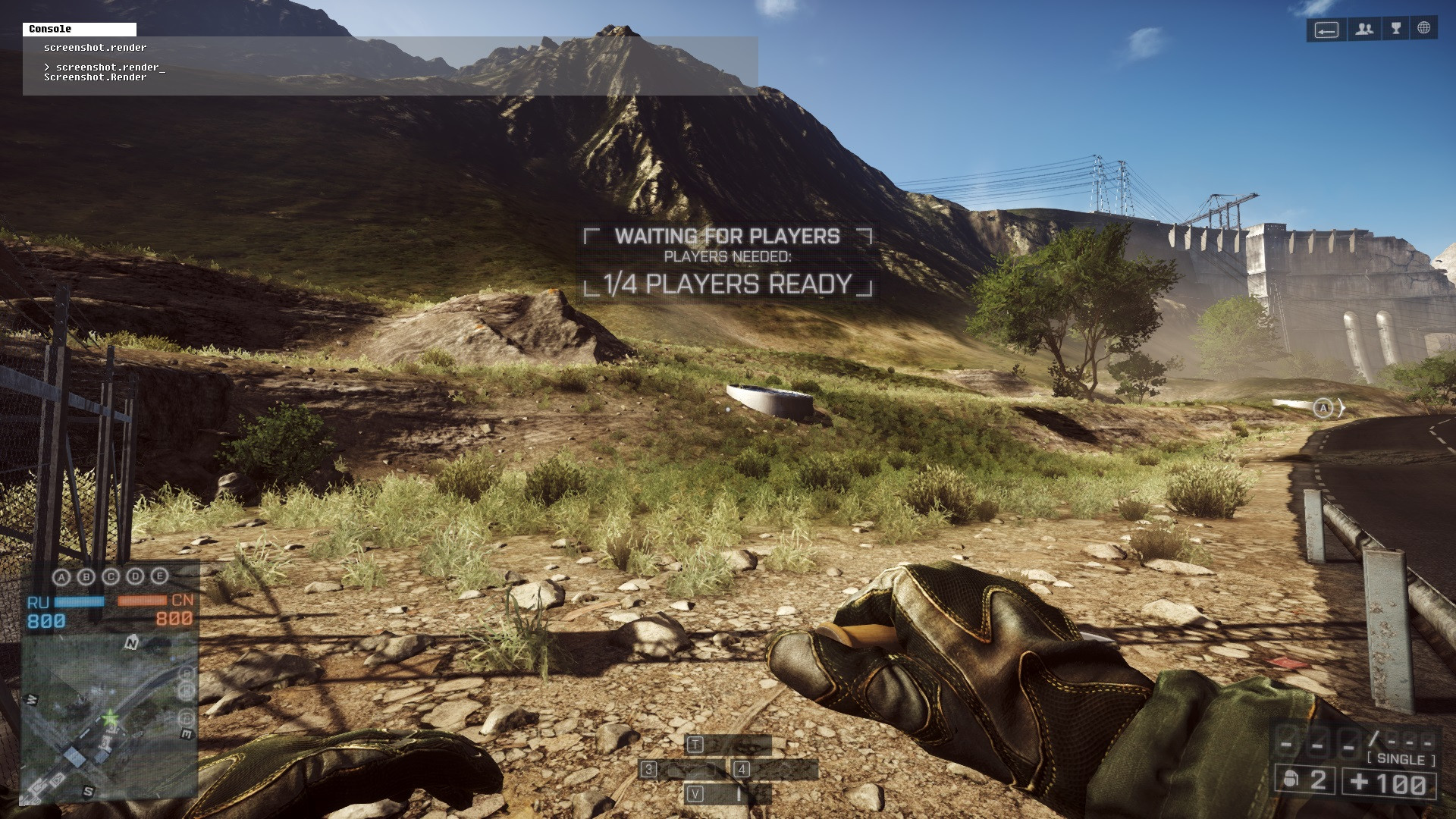
Low:
Medium:
High:
Ultra:
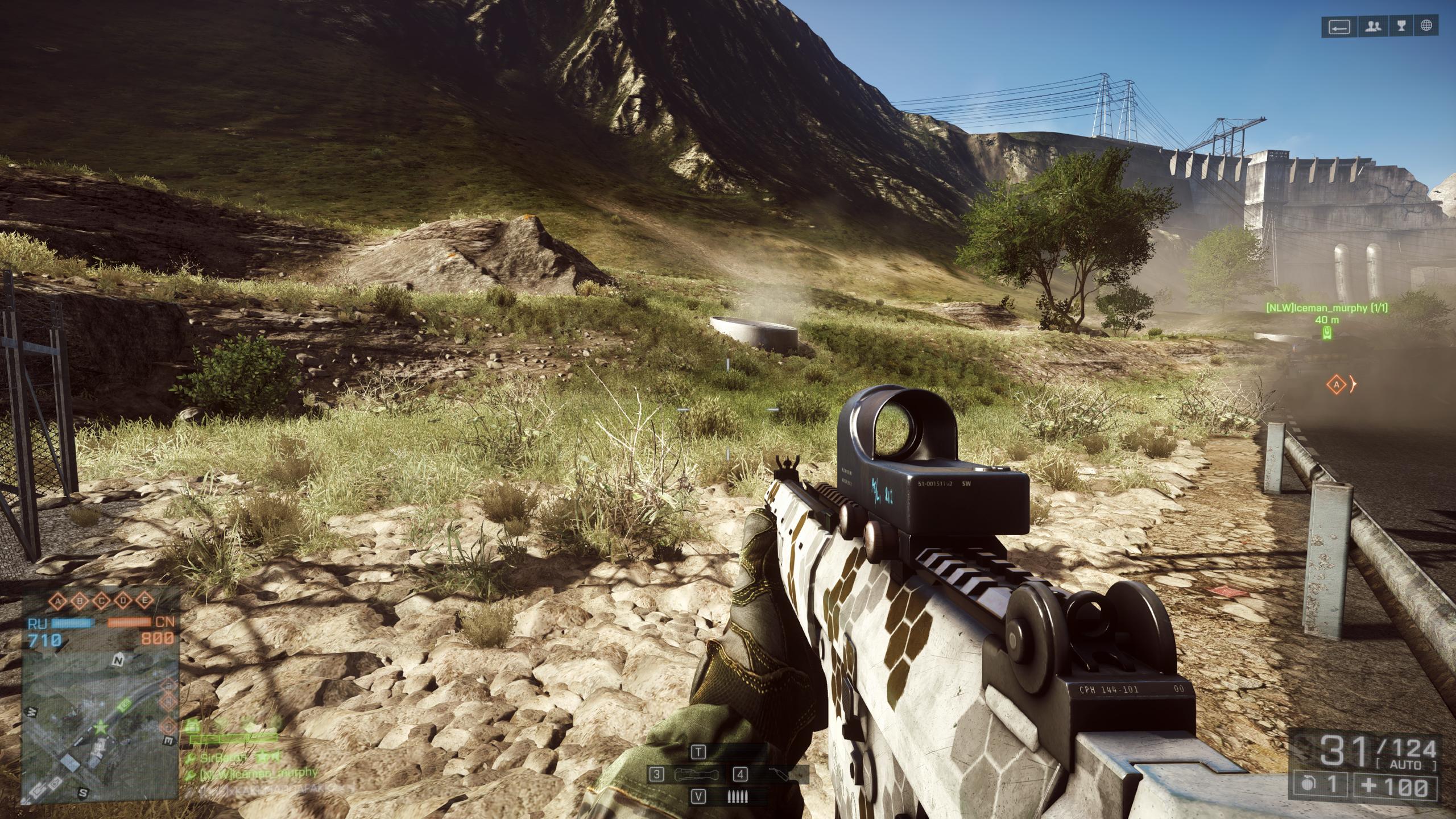
None of my settings produce rocks that look nearly as good as SirBaron’s post on page #5 (http://battlelog.battlefield.com/bf4/user/SirBaron/), [battlelog.battlefield.com] when he set his to ‘Low’:
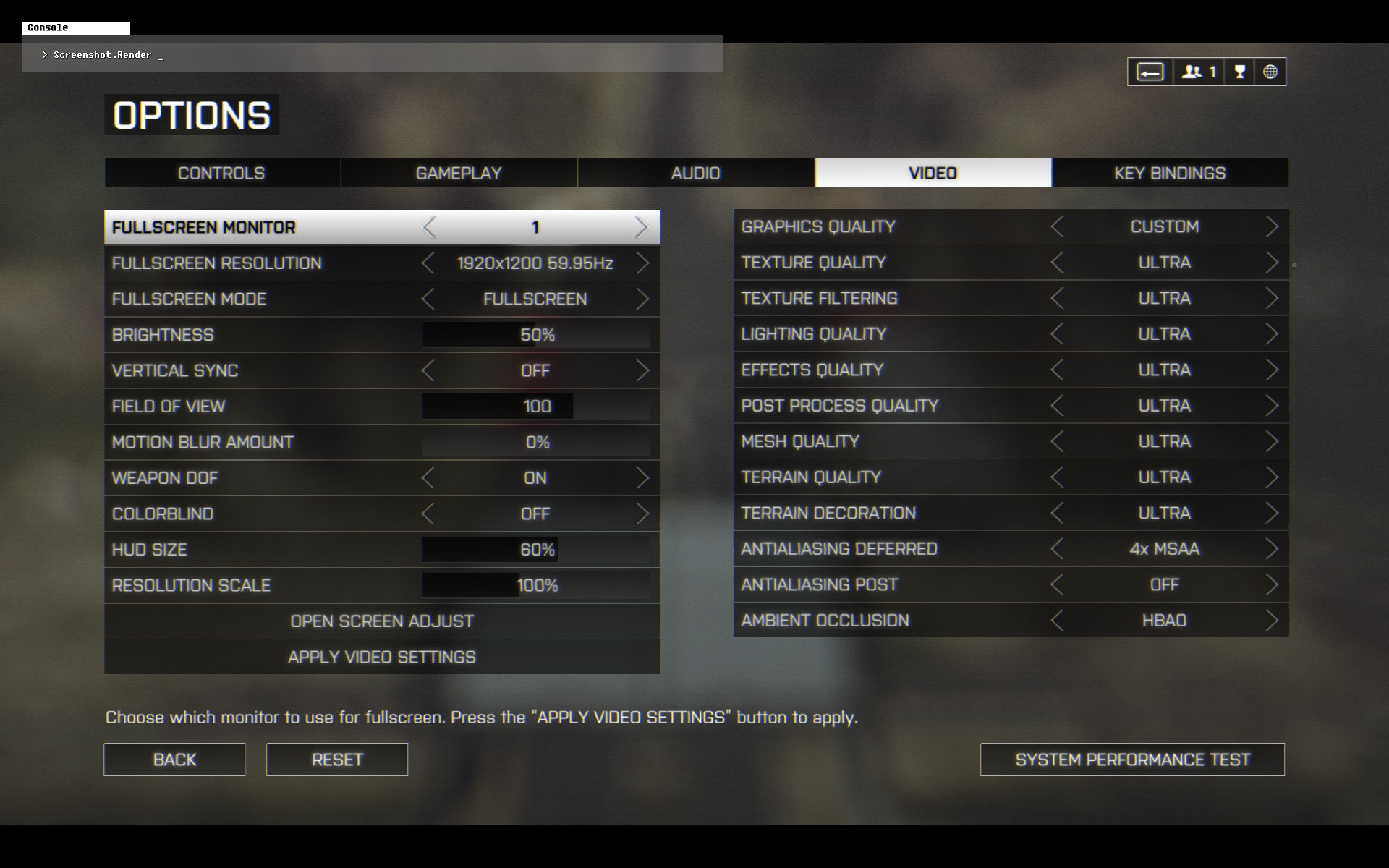
My in-game video settings, except for Terrain Decoration, which is now set to ‘Low’:
My setup:
SLI GTX 780 w/ GeForce driver v331.65 WHQL (default GeForce driver settings, ‘NVIDIA Experience’ not installed).
Windows 8.1 64-bit
People, please remember to write your basic specs here (GPU/Driver + OS/bits).
This is unbelievable.
It looks like people running Windows 7, when they set Terrain Decoration to Low - can enjoy the richest and most dense looking terrain!
g1yafit’s Low (Windows 7):
SirBaron’s Low (I’m guessing Windows 7):
My Low (Windows 8.1):
I hope they fix this soon , its like we got Frostbite 2 engine with Win 8.1 . I WANT MY FROSTBITE3 ENGINE BACK !
Brent Justice, the Video Card Managing Editor of the well known tech site HardOCP, had this to say after confirming the Terrain Decoration situation:
http://hardforum.com/showpost.php?p=1040391945&postcount=78 [hardforum.com]
For their full Video Card Performance and IQ Review, click here:
http://www.hardocp.com/article/2013/11/17/battlefield_4_video_card_performance_iq_review [hardocp.com]
I tested this yesterday and have pics but cant upload them right now.
To me all terrain decoration levels seem to be same (which is the real low setting/your ultra) except when I switched to high OR switched the profile to ultra (I cant remember what I did) I got slightly darker toned grass and few different “plants” in the ground but its different from all the settings you guys have shown in the screenshots.
I even tried exiting the test range and re-entering and as far as I remember, it didnt change a thing. However, everytime I changed the TD level I saw changes in my FPS meter (normaly when I use medium = 92 FPS in the test range staring at the monument, 57 FPS when changed to ultra, 43-47 FPS when everything was changed to ultra)
My specs:
I7 2600 (not k) @ 3.4Ghz
12 Gb RAM
GTX 560 Ti (OEM model), newest drivers installed.
Windows 7 64-bit
Graphic settings:
All at medium except Defered AA which is set off. (post is on medium). 1600x900 resolution.
you have to set it to ultra BEFORE you quit the game the last time you play it. Then the game will start at “ultra” and when you change it back to medium you will have loads more grass and bushes.
whoooops..
i guess i tested to much now..Now all settings are (LOW), means the worst terrain decoration..
Of course i do a redeploy / or even restart teh Engine but still all options are now the same..
im so pissed atm at this game..Also WHY did they removed teh Grass Physics?? it looked so imersive..
This Battlefield is such a FAIL…
DICE !!! FIX IT…
For me the only one that seems to make any difference is “Ultra”, which seems to actually be the lowest setting, any of the others, High, Med, Low all look very similar.
Just tested this and I definitely get a lot more ground cover with terrain decoration set to low. I also get the increased tessellation on Lancang Dam, but it’s the only map that seems to make heavy use of tessellation.
The Chinese spawn on Flood zone is another area where it makes a big difference in ground cover.
Could not depend on the video card, nvidia or ati?
I hope not and I hope fix as soon as possible.
I’m running a 2600k and HD 6970, 1680x1050 @100 hz, right now. I played around a bit trying to recreate the original posters screenshots. I’m not even going to post my results as I realized at any given setting, I couldn’t get the game to consistently render the vegetation the same at any given setting. If I ran around the test range map a bit, and came back the trash can in front of the monument, there may be more or less vegetation than before. This had a dramatic effect on FPS as well. Lots of vegetation meant a 50fps difference at Low, (@140 to 90,) and 10fps at Ultra, (@55 to 45.) I did notice I got best framerates at Terrain decoration=medium, (I think, I’m not 100% sure with the inconsistent results.)
EDIT: I usually play on low to try get a stable 100fps to minimize screen tearing. One thing I’ve tweaked to help achieve this is set my shadow map resolution very low, 256