You are experiencing a cpu bottleneck, like basically everyone else. It seems like people with top of the line i7’s are the only ones who can keep the game at a consistently good frame rate. I really hope they do some optimization b/c its kinda ruining the game for me.
Can confirm
I got i7 6700k +gtx 980ti game is very smooth at 90-120fps
what is weird when i check cpu usage it says its 100% but i dont have any stuttering
I have i7 4790k and the game still manages to use 100% of CPU in the city maps and big battles and drops the frame rate from 120 to 30 for 2 seconds, then back up, then back down between every 2-3 seconds, and no, changing settings from ultra to low has 0 difference so something is wrong in the game.
Not entirely true, theres quite a few i7 users having issues. Theres defo something going on with optimisation.
What ive also noticed is when drops happen, for me its only to about 50-60ish fps, is the game suddenly doesn’t feel very smooth and a little microstuttery and that is with a gsync panel. Not sure if its me just being used to higher fps or if its a problem with the game as well.
I can confirm this, i said earlier about having i7 4790k and still having the same issue, but also before the frame drops happen it feels like some serious microstutter like it’s skipping frames.
I’m also suffering huge FPS drops where the game appears to freeze for a second or so and fraps shows a massive dip in framerate down from 50 - 60 to probably 10 or less. It breaks the whole immersion of the game and makes it impossible to play given the need for constant turning, aiming etc.
Specs:
AMD FX-8350 OC’d @ 4.6Ghz
16Gb Corsair Vengeance RAM @ DDR3 1600Mhz standard timings
2 x R9 Sapphire 280x @ 1600/1100 crossfire (3Gb VRAM)
Samsung 840 Pro
Asus Sabertooth 990FX r1.0
Acer XR341CK 3440 x 1440 Freesync monitor (frame cap @ 60 in latest crimson driver)
Playing DX11 and no video settings make any difference from low thru ultra and every custom combination you can think of.
I have resolved my issue. Basically it appears (to me at least) that the driver update process from AMD for crimson may be somewhat borked. I uninstalled the AMD install manager from control panel/programs then ran the DDU driver cleaner utility and ccleaner for the registry. I then rebooted and re-installed the latest crimson package (so a clean fresh install of the latest driver, no overlaying the update over the previous crimson driver suite which is what I think happens when you update via the inbuilt crimson updater). I then installed the monitor driver (which I only noticed was also removed as BF1 then said the monitor was a generic plug 'n play one not the Acer XR341CK)…and voila!!
Now getting a reasonable 55 -60 FPS with no huge drops at all. I’ve even managed to turn the advanced video settings upto high in most cases although I leave AA off and post processing at low given what various performance review sites have said has the most impact on FPS in BF1.
I’d advise any AMD GPU owners to completely un-install crimson and then clean their system with DDU before then installing the latest 16.10.2 package from the AMD website …hope it works for you!
I have also FPS drops and it doesn´t matter if I have the settings on Ultra or low. It´s nearly the same.
The most of time I have about 70-90 FPS…sometimes over 100 FPS and then it drops to 30-40 for a few seconds.
Glad to see that I am not the only one Was changing the settings up an down the whole days to try to fix it.
AMD FX8350
XFX RX 480 8GB
Asus M5A99X Evo R2.0
16GB RAM
i have a very old i5 750 @ 2,67Ghz OC to 3,2
GTX 1060
12GB RAM
Yes, of course my CPU is a very high bottleneck. But I played the Beta with around 60-80 FPS on Ultra, DX12. Now i’m around 60 FPS with framedrops to 40FPS.

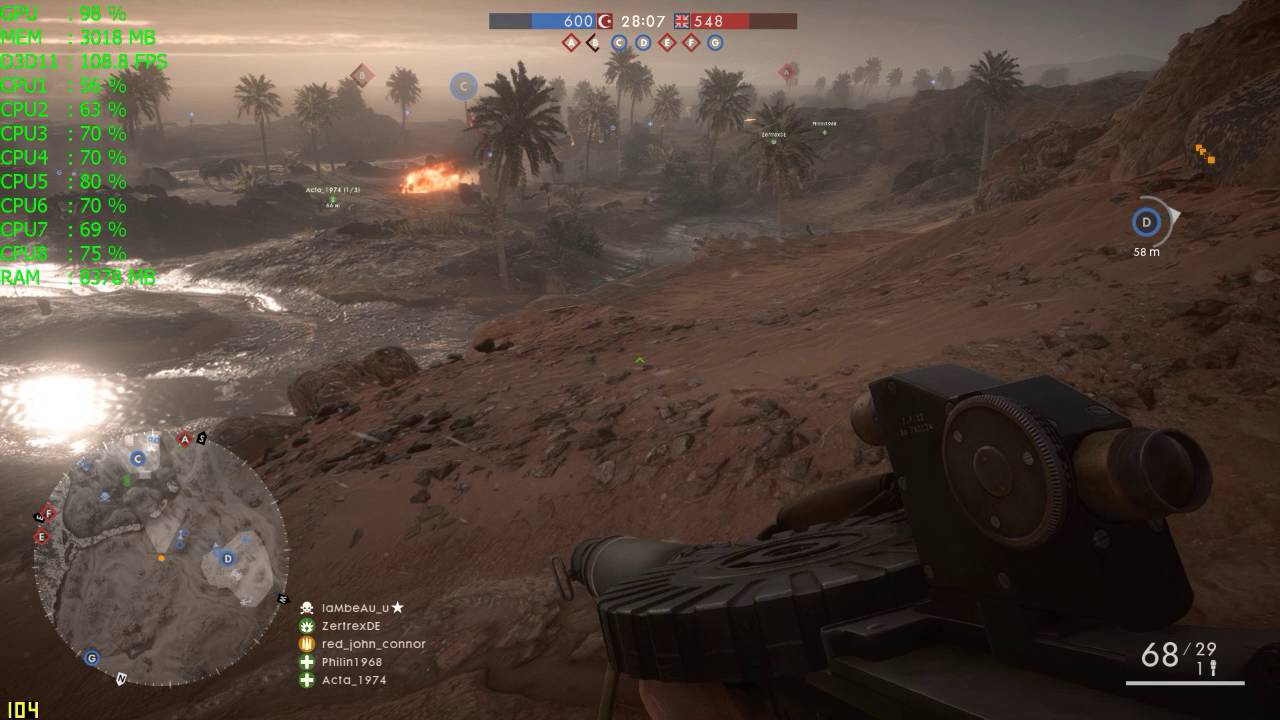
 Was changing the settings up an down the whole days to try to fix it.