pimp
Bump!
Bump^2!
Suuuuperbump again
Bumping for official statement.
The amount of bugs and broken game mechanics in this game is amazing.
Was it really worth this just to be one week before COD?
Please fix this bug and all the other issues ASAP!
Bumping for recognition from developers.
Bumping for recognizing we are the universe seeing itself.
bump
Come on DICE…
Bump up the volume…
…
omg DICE this is just ridiculosu really… fucking do something already..
bump
why are you bumping this?
Because Dice must be fix this.
Fix this pls, I’m sure whoever bought a high end card (mostly) for this game would like to see the graphics in their maximum potential. And it would be rude towards the person who designed the ground decoration graphics if they weren’t even visible for half of the players :o
it not such a big deal compared to oneshotkill bug or the sound annoyance, still would be nice to know they have acknowledged this as they probably are so I’m not sure why there were no blue post in here. Just wonder if other options are messed up as well.
Thank you for bumping.
I believe it is very important, and deserves the care and attention of DICE to be fixed in the very next client patch, mentioned here:
Upcoming PC Update
Read below and you’ll find out why it’s not just a mixed up setting. I just wish the OP of this thread would update it..
FOR THOSE WHO MISSED IT, THIS IS IMPORTANT:
-
When you join a Multiplayer game-server, make sure that Terrain Decoration is set to ‘Ultra’, deploy and then leave the game-server.
-
If you re-enter the same or another Multiplayer game-server, make sure that Terrain Decoration is now set to ‘Medium’ (on Windows 8) or ‘Low’ (on Windows 7), deploy and stuff will look good again:
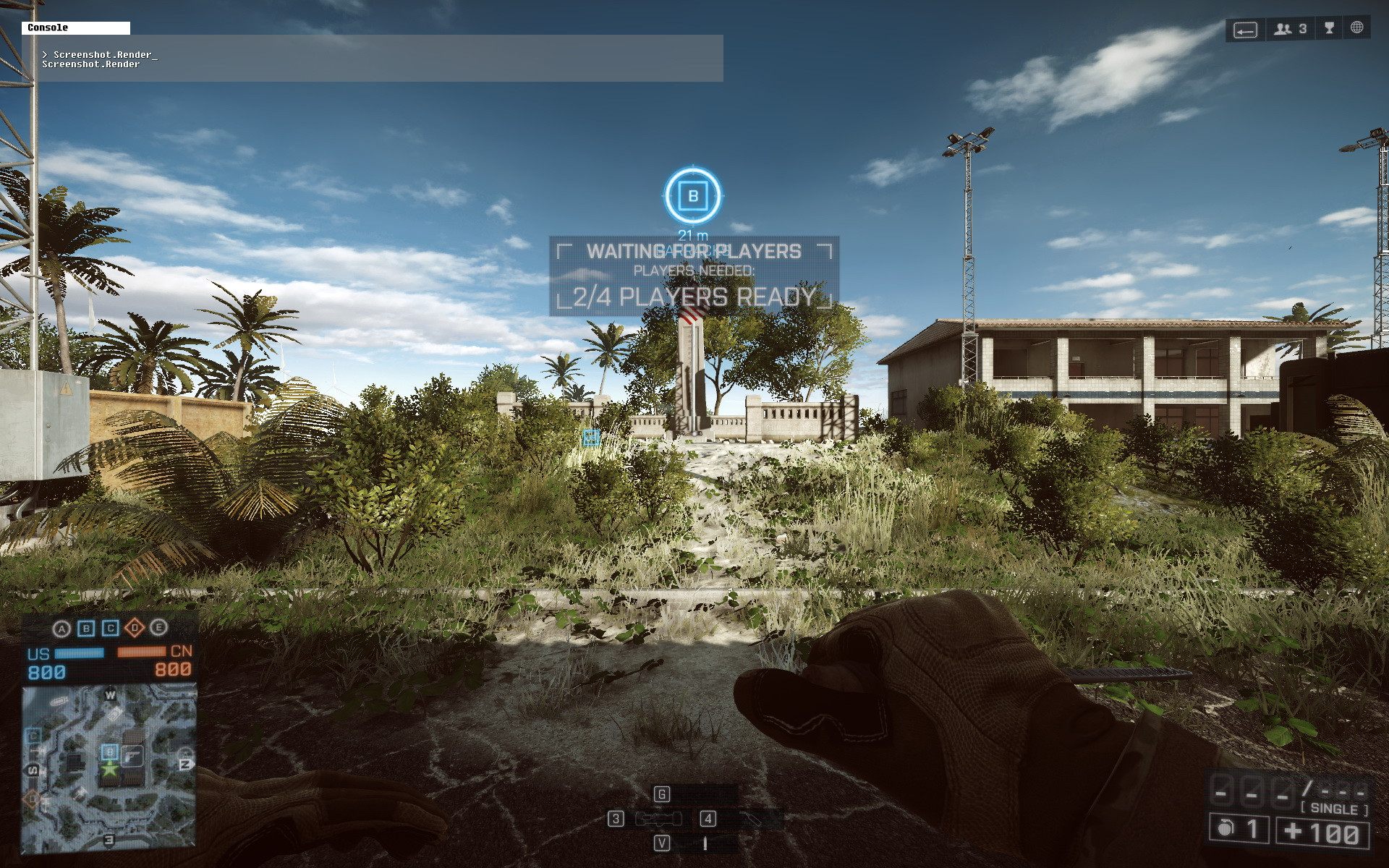
- However, once you quit the game-server and then re-enter the same or another one it’ll look bad again:
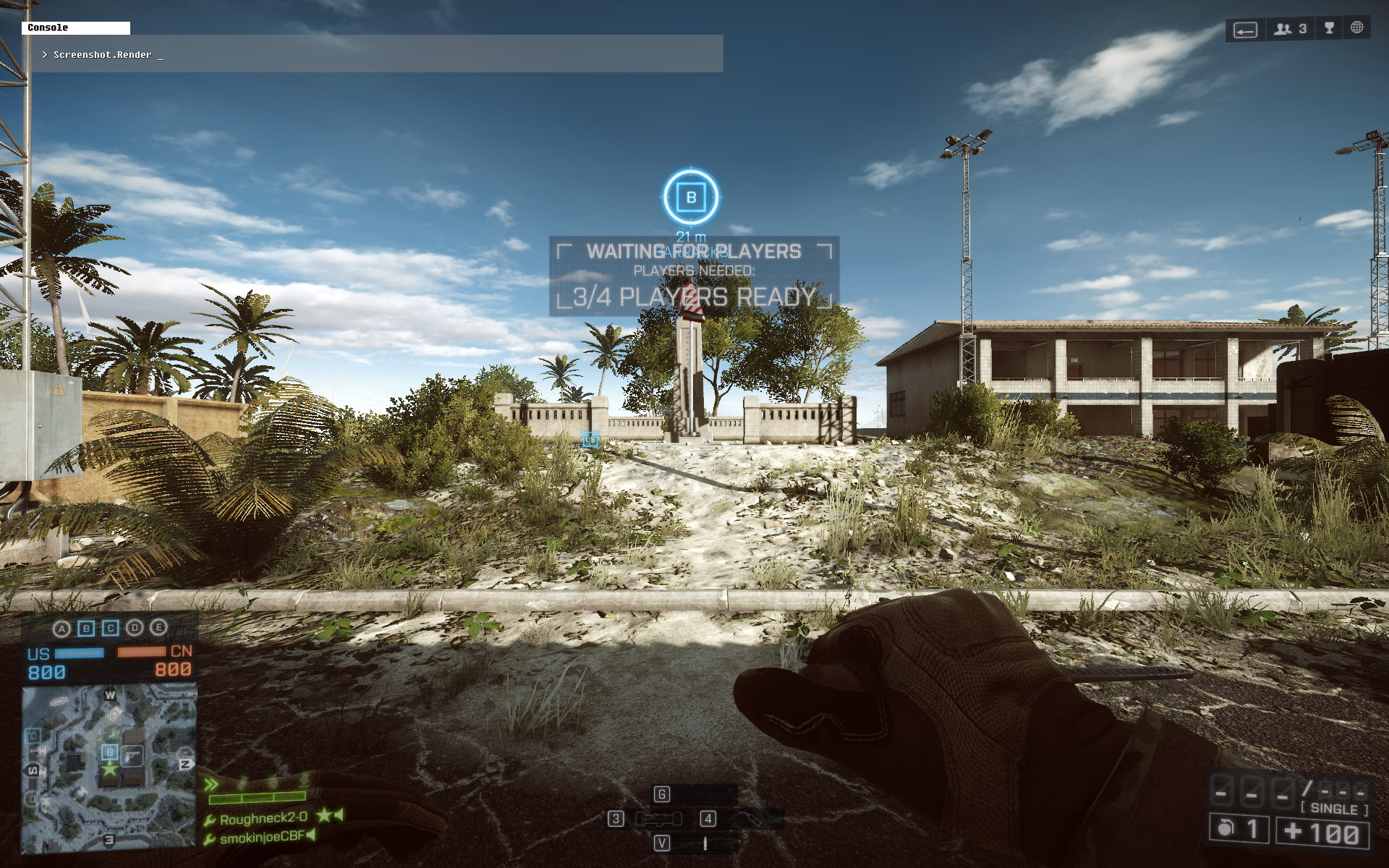
This means, that right now you must remember to set Terrain Decoration to ‘Ultra’ each time you leave a game-server, and set it back to ‘Medium’ (on Windows 8) or ‘Low’ (on Windows 7) once you re-enter it 
My in-game video settings, except for Terrain Decoration, which I don’t know what to set it to anymore..:
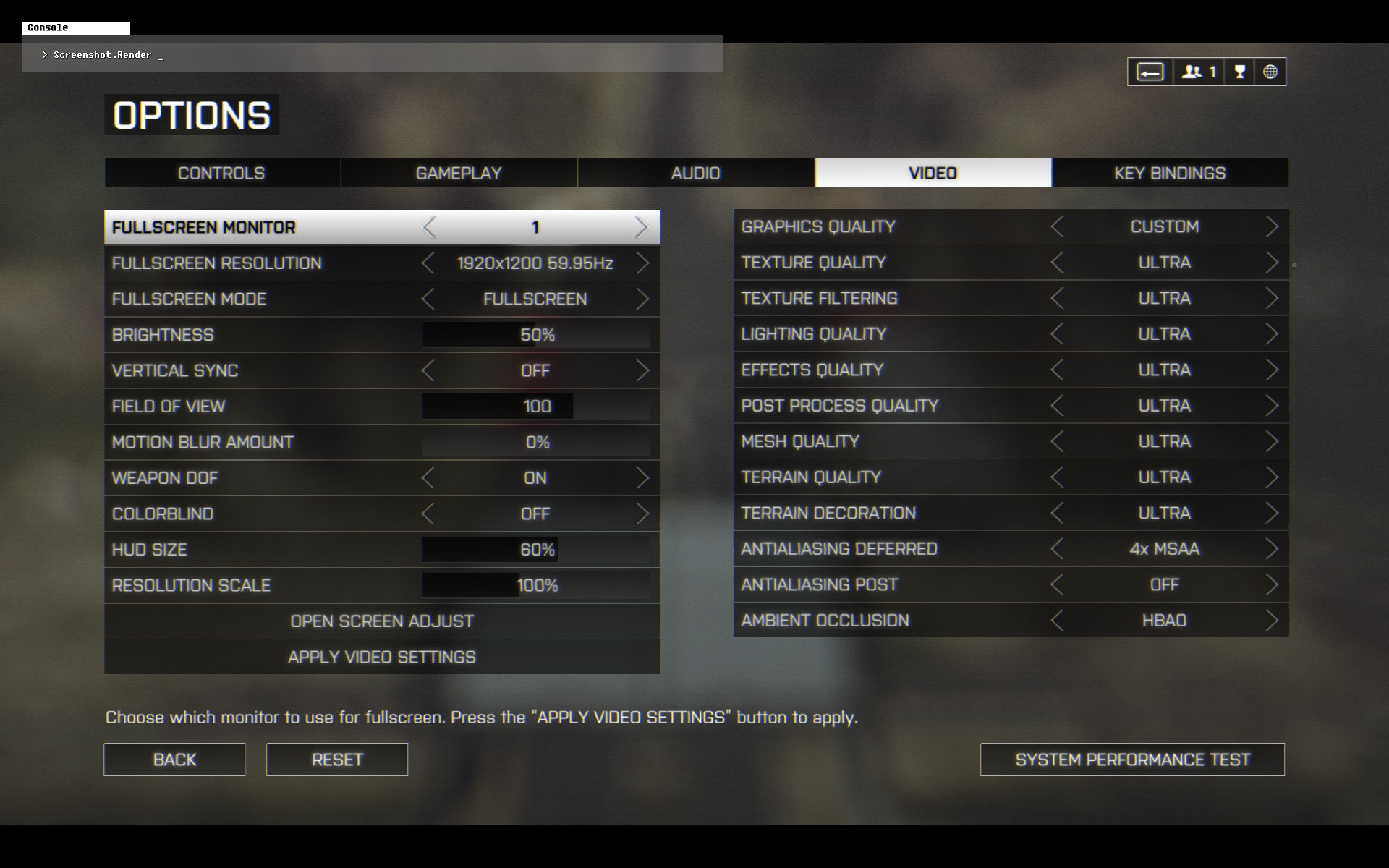
My setup:
SLI GTX 780 w/ GeForce driver v331.82 WHQL (default GeForce driver settings, ‘NVIDIA Experience’ not installed).
Windows 8.1 64-bit
To make sure I understand - is this only affecting Low and Ultra - meaning those two are backwards, and “High” is still really “High” and “Medium” is still really “Medium”?
Hello.
-
High is pretty much the same as Ultra right now, i.e: it’s really ‘Low’ either on Windows 7 or 8.x.
-
However:
On Windows 7, ‘Low’ is actually really Ultra.
On Windows 8.x, ‘Medium’ is actually really Ultra.
Do note, that this applies only when you take the steps I’ve described above your post. Else all you’ll get is really just Low.