I’m amaized no one from DICE even bother to at least comment on the subject to show us they care!!
I have got to check this out…
wow..
FOR THOSE WHO MISSED IT, THIS IS IMPORTANT:
-
When you join a Multiplayer game-server, make sure that Terrain Decoration is set to ‘Ultra’, deploy and then leave the game-server.
-
If you re-enter the same or another Multiplayer game-server, make sure that Terrain Decoration is now set to ‘Medium’, deploy and stuff will look good (at least in Paracel Storm):
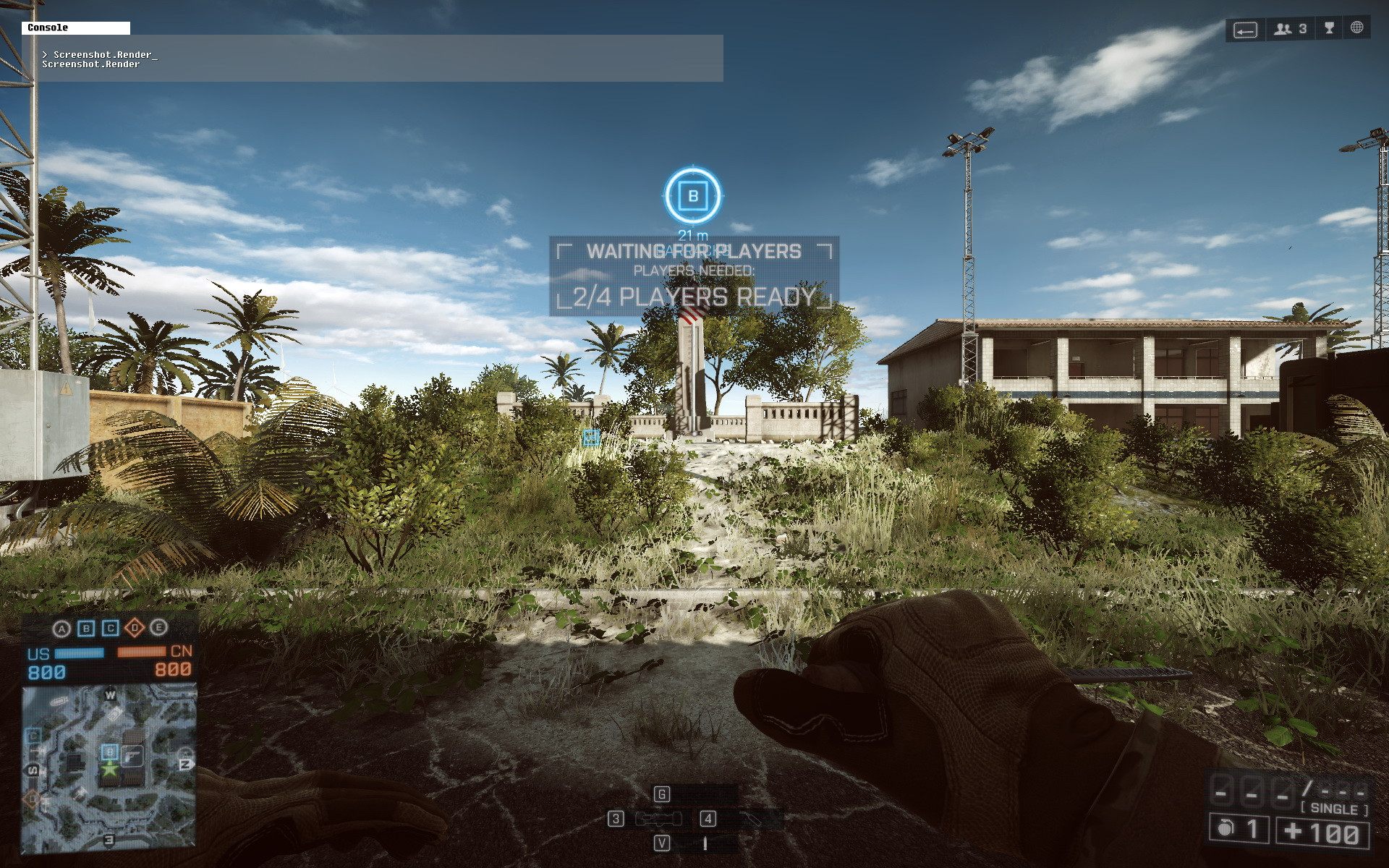
- However, once you quit the game-server and then re-enter the same or another one it’ll look bad again:
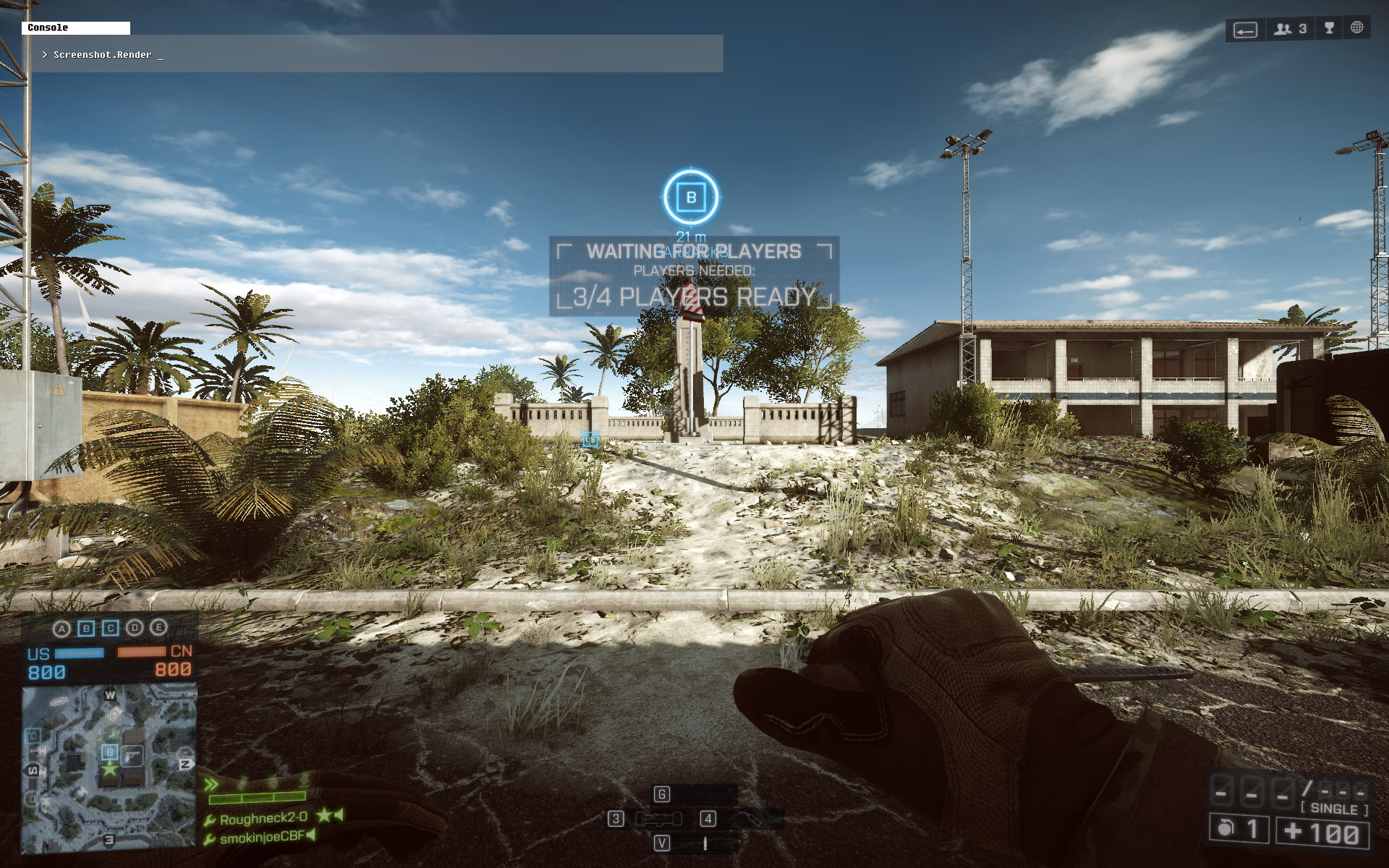
This means, that right now you must remember to set Terrain Decoration to ‘Ultra’ each time you leave a game-server, and set it back to ‘Medium’ once you re-enter it 
My in-game video settings, except for Terrain Decoration, which I don’t know what to set it to anymore..:
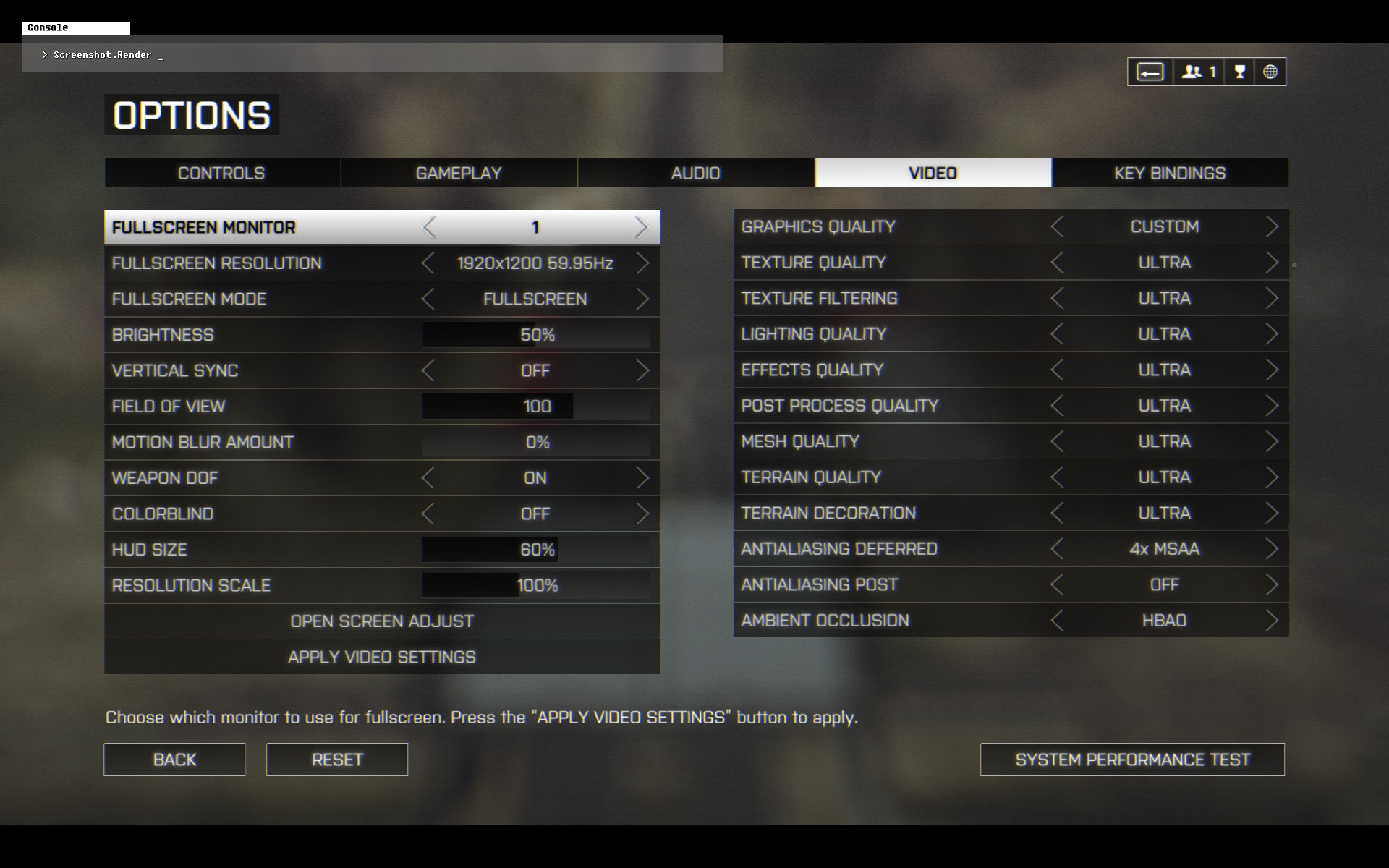
My setup:
SLI GTX 780 w/ GeForce driver v331.82 WHQL (default GeForce driver settings, ‘NVIDIA Experience’ not installed).
Windows 8.1 64-bit and this has also been confirmed on Windows 7 where there you have to replace ‘Medium’ with ‘Low’.
Looks the same on every setting, win 8.1
Straight back up, sup DICE?
Thanks very much for clearing this up Roughneck, I can confirm for me this way does work. Have tried on a few separate maps and worked each time. I’ll tell you what I bet the Human race is glad Dice don’t design cars!!. Cheers.
EDIT: Like you said at the bottom I also found ‘Low’ to be the best setting.
Hey there, glad it helped!
Now where’s a DICE employee to confirm this is going to be fixed not soon, but in the next patch? ¯(°_o)/¯
bump
Man, I didn’t even notice that… Shouldn’t be that big deal to solve it though, right?
i got that once i was testing my r9 280x and i got planty of grass and everything looked amazing but couldn’t get it back after i restarted the game
Map Zavod 311
This is how game should look like . Right now grass on Zavod looks like dog shit .
bahhhhhhhh
Damn i told my friends before something is buggy with grass . It just didn’t felt like Frostbite 3 . Even BF3 grass on ultra is more variable then this shit .
Im happy this bug is found and we might get better Frostbite 3 graphics finnaly ffs . Noob devs
Are they going to fix this?
I hope.
Bump!
bump
bimp
bump. Please fix this dice, don’t be lazy. You have removed the physics of the grass and trees as well. What you have said in the interview before the game comes out “they may be subtle, but they make the game more immersive” is what sold me on this game. Without that, it’s basically a prettier BF3.