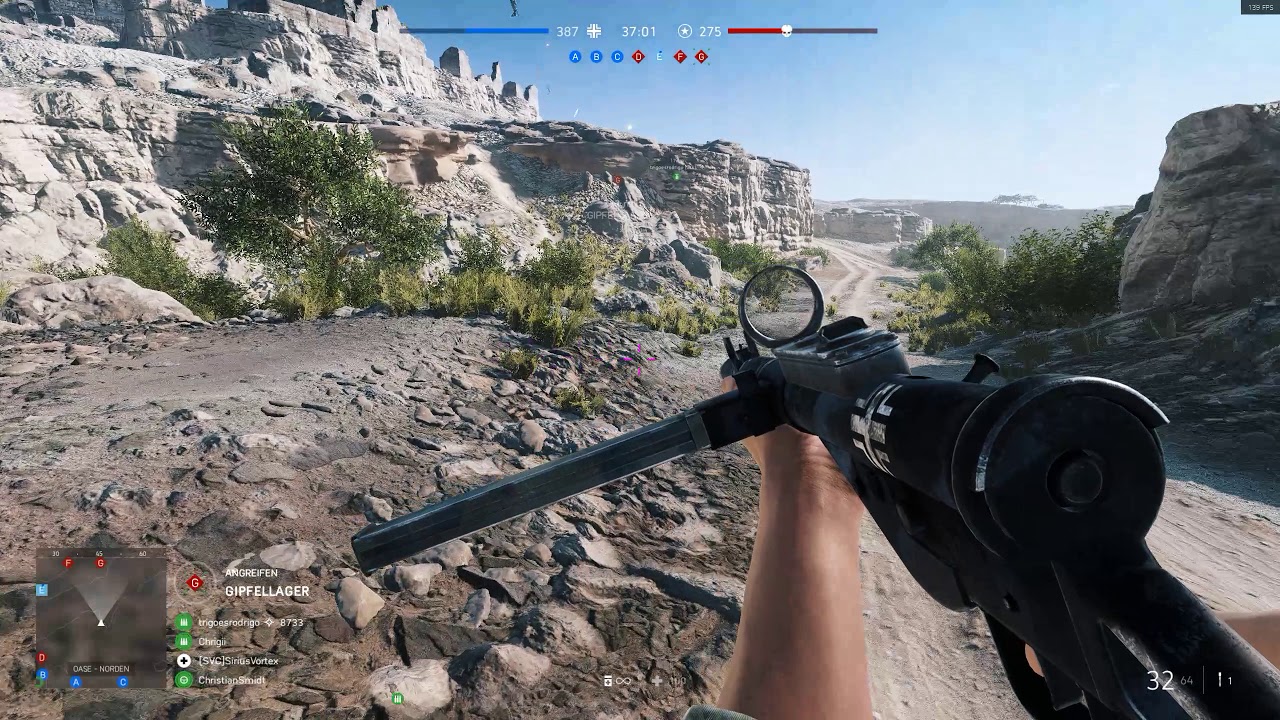
As you can see on the left, grass/terrain decoration loads and disappear according to distance
I tried to reinstall drivers, messing with NVIDIA control panel, purged standby memory in Win10, Dx11/Dx12, Low or Ultra settings… nothing i tried fixes this
Also i can run game 90fps stable but it doesnt feel smooth at all (i am guessing its due to this problem but not sure)
Yeah, the LoD distance is bloody awful. If you turn undergrowth quality to Low, you’ll not notice the pop up as much because there’s less undergrowth to draw.
To be honest, even though my PC can handle Ultra at 1080p, I turn all graphic options to off or low except Mesh and Texture Filtering (ie x16 AF) which I leave at ultra. It just makes everything easier to see and the pop-up is no worse than on Ultra.
Thanks for posting video, i didnt bother to make more videos for other maps
I have exactly same thing on Hamada and Aerodrome, and its also very noticeable on Devastation where the more i move forwards more debris on ground show up
On snow maps and Rotterdam it doesnt happen or its not that noticeable to “disturb” me, in all the other maps its more or less noticeable in a disturbing way