i did all what saying on this forum, nvidia and on other sites, but no one method does not help me, and recently on geforce forum, people find problem, it’s Creators Update and new driver nvidia 38x.xx.
I reinstall my windows to anviersary update and o god, no more stutters in games and bf1!, If you dont wanna reinstall windows, wait patches from microsoft and nvidia, but i dont how much y need wait is
guide where get windows and how reinstall wrote man on geforce forum “barlonemaximus”:
Use RUFUS (search it on google) to create a bootable USB with the iso you downloaded (remember to set UEFI and GPT in rufus). If you don’t understand what is UEFI and GPT simply search on youtube “how to create a bootable win10 usb with rufus” and just do what they do.
Restart pc, enter in boot options and select your usb drive
At the end of windows installation you will be asked to download and install updates (they ask this just before showing desktop), press SKIP (very important).
Under “manual driver search” select your OS (win 10 x64 for example), your GPU and your language. Then press “start search” and you will have a list for all nvidia driver versions for your os+gpu. select 378 version, download and install. P.S If you do a clean windows installation you will lose all your data on the ssd (i’m guessing), so make sure to backup all your data and bla bla bla. Don’t worry about windows license, if you have bought your laptop with windows 10 your digital license is linked to your mobo.
Good luck, and, sorry for my english, he so bad. I hope it’s help all who have stuttering after update
Worked like a charm!!! Thank you for posting this!!! I only got to play one map, since my kids decided to wake up extra early. But it was one of the maps, San Quientin Scar, that always gave me problems. Much appreciated!!!
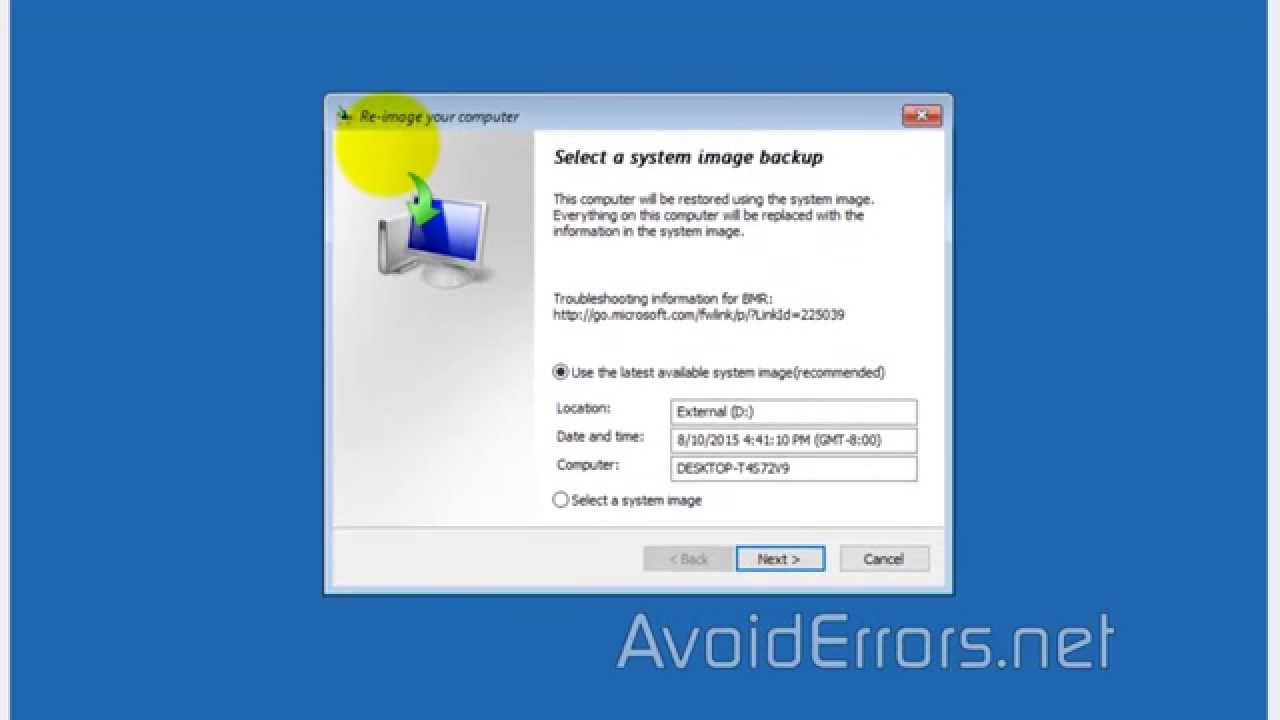
Thats why you create system backup image before you mess with it so you can restore back if something happens.
Use windows backup restore and select “create system image”
To restore the image use windows 10 install disk/usb and select restore from backup image.
If you don’t have windows 10 disk download from Microsoft its free.
edit
It would probably be wise to make backup image if you successfully fix with OP method just in case windows runs updates or somthing and issues come back.
Much easier to restore your backup image then going though whole process again.
It IS that bad. YouTube videos can’t always show it at its worst due to the inconsistencies of video encoding and / or refresh rate difference between the video and source. I can say on my 120FPS monitor it is absolutely unbearable and completely disrupts gameplay. If you turn on DX12 mode for NVIDIA cards you can see the stutter that you get at the start of a map yourself. It’s like that but all the time even in DX11 mode for all those suffering from the issue.
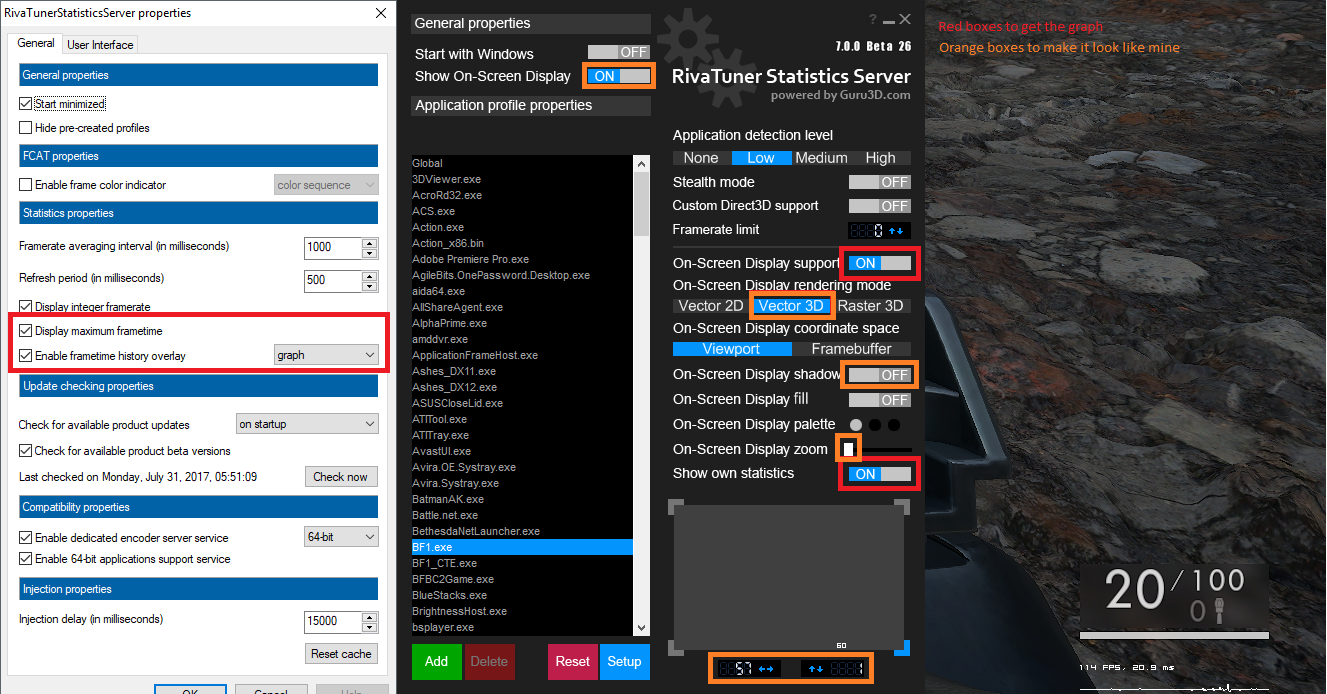
I set up my PC to record frametimes and graph it on screen. After a few rounds I felt like turning off the graph because it was depressing. It IS that bad.
.
Microsoft have forced a “feature” update on me which I never wanted because it only extends their invasion of my privacy, which literally broke my multi-thousand dollar gaming rig. My only option is to rebuild the OS and prevent updates which make it vulnerable to some of the worst malware around right now.
.
Devs need to make games for linux already. GIVE US CHOICE!
You can get a nice unintrusive graph in your HUD. When the stutters happen, you’ll see a big nasty spike in that graph. Occasionally you’ll get the “haircomb” look with a series of spikes in close succession.
Downloading the driver now, once I get it all done with I’ll hop in game and report back.
Specs:
i5 4690k @3.5 GHz (looking to upgrade the cooler soon so I can OC)
Nvidia GeForce GTX 970
16 gigs of DDR3 RAM
Windows 10 64 bit (on creators update…sadly… this update it’s caused so many issues)
Edit: Nope. Low settings, 1080p, new driver. 18 FPS on just the damn loading screen.
In game…turned the resolution scale to 85%, and set renderaheadlimit to 4…also limited my FPS to 60…and well..I get drops to 1. I hate microsoft. I could run this game perfectly 2 months ago at over 100 fps with higher settings, but hey at least I can play BF4 still at max settings with 100+ FPS