I have;
Asus GTX 1070
Gskill 8 GB Ram
Ryzen 1500X 3.7 GHZ
Viewsonic 1080p 60Hz
PC component. I have a problem. My problem is “BF1 and BFV low fps and drops” I did’nt solved this problem. . I opened OSD values.
-----BF1-----
First picture from BF1 medium settings
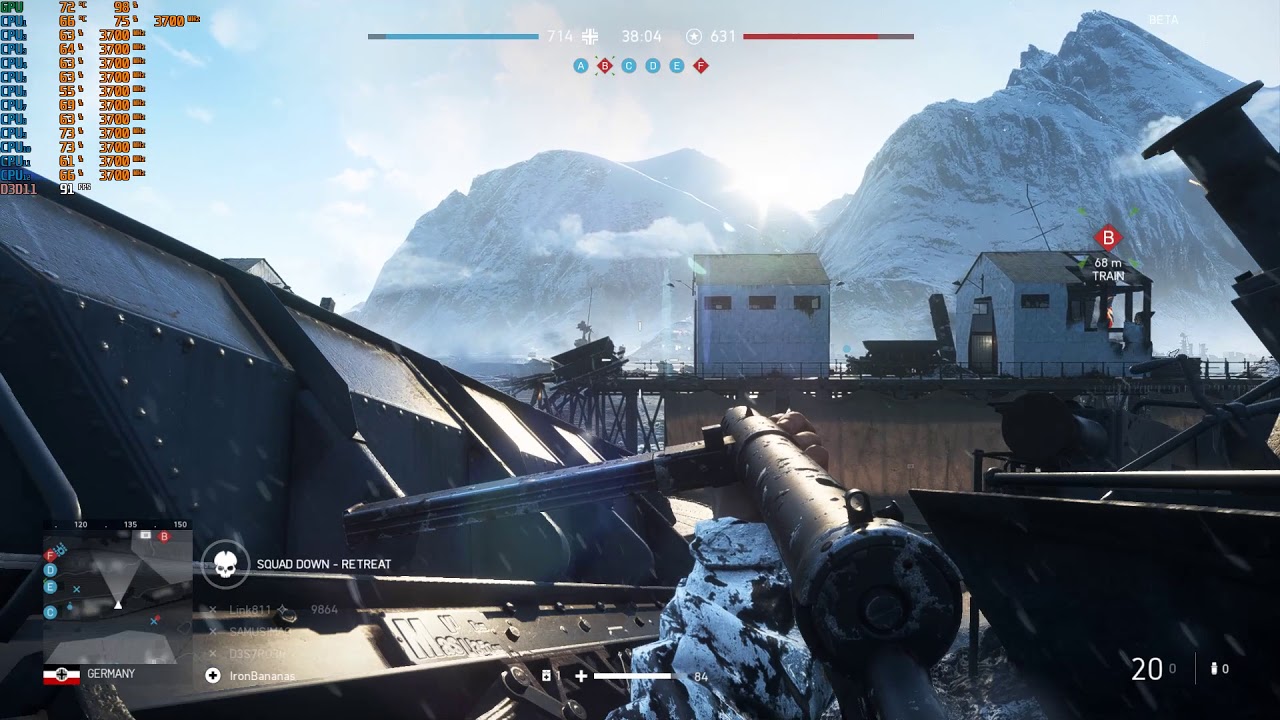
Second picture from BF1 ultra settings
Almost CPU usage %100 but GPU usage %45-55 range.
----BFV-----
Third picture from BFV medium settings
Fourth picture from BFV ultra settings
Almost CPU usage %100 but CPU usage %45-55 range.
Baring anything in your game settings themselves, you have a few options. Usually GPU % drops indicates you have a CPU bottleneck. But it may not be the case. YOu may have a BN somewhere else. But even if you do have a BN somewhere else, your CPU is a bit on the weak side, so dips are common. I have the same issue on my system. Its hard to know because the GPU will BN at some point once its properly fed.
This is a BF 1 experience w/ your system
Are you getting this kind of frame rate?
CPU usage will largely vary from 50% to even 90%. This is because FFR is on. Do you have FFR on? Its not abnormal for most systems to show these kinds of numbers.
This is the closest i can find to a BF V:
It has a 1600, but the FR is very inconsistent. The CPU is the limiter there. However once the GPU is maxed out, there will be a GPU bottleneck. What that is depends on how many frames the CPU can dump to the GPU.
For BFV you have a CPU bottleneck for sure. How much of a BN depends on how much the 1070 can output. But what your FR will get to on a 1070 might not max out where you’d like it to.
But at 60 hz, you dont really need much more than that, unless you’re after low latency input in which case you’d benefit from lowering your settings to get higher FRs.
Yes i did. But screenshots in game dont tell me what your game settings are. Specifically i want to know if you have future frame rendering turned on. Turn future frame rendering on in both games. You should see an improvement.
That single stick of memory is going to be an issue aswell. Not so much w/ max FR as it is w/ latency. Its going to definitely be a BN. You’d be better off w/ 2x 4gb or just 2x 8gb to start in DUAL CHANNEL MODE. Assuming your CPU supports it. IM pretty sure it does.
I try your settings but it hasnt changed.
It never happened before.
I was taking 100-120 FPS before for BF1 ultra
And i was taking 70-90 FPS before BF5 high.
I dont know this time. What happened.
If this worked before and not now then something had to change.
You’d have to be absolutely sure there is NO THROTTLING going on. And to rule anything else out, you’d have to reset your bios settings to default to start.
Next make sure you do a clean install of your video drivers.
Run GPU Z to confirm the GPU is running full tilt. Make sure the power draw and frequency are running w/o any huge dips. This indicates throttling. It has good real time readings that track usage over time.
Make sure your CPU is running full tilt aswell. The performance tab under the windows control panel is usually good enough for that. Do this just to confirm the OSD Values too.
Use ryzen master to make sure nothing is turned off on the CPU aswell.
I actually think it is from windows 10 update. Windows 1803 version is stability for BFV and BF1. But Windows 10 1809 version is not stability. Lowering performance.
CPU-z, GPU-z and Ryzen Master Picture: