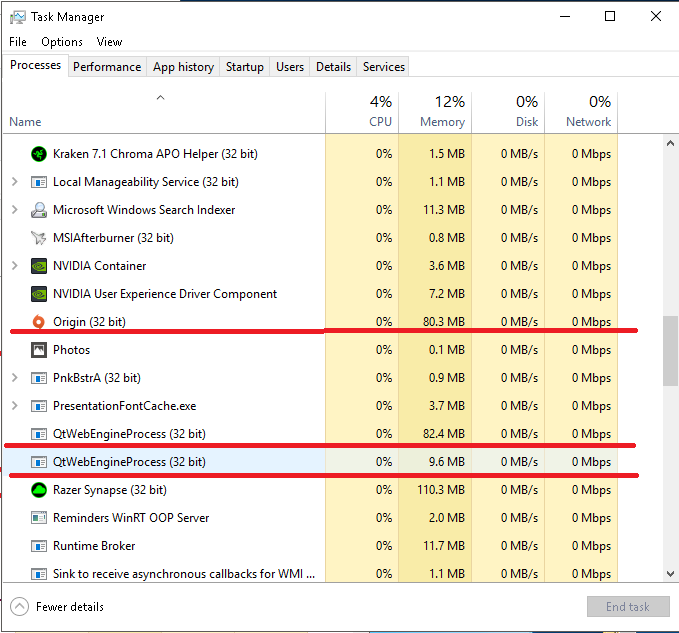
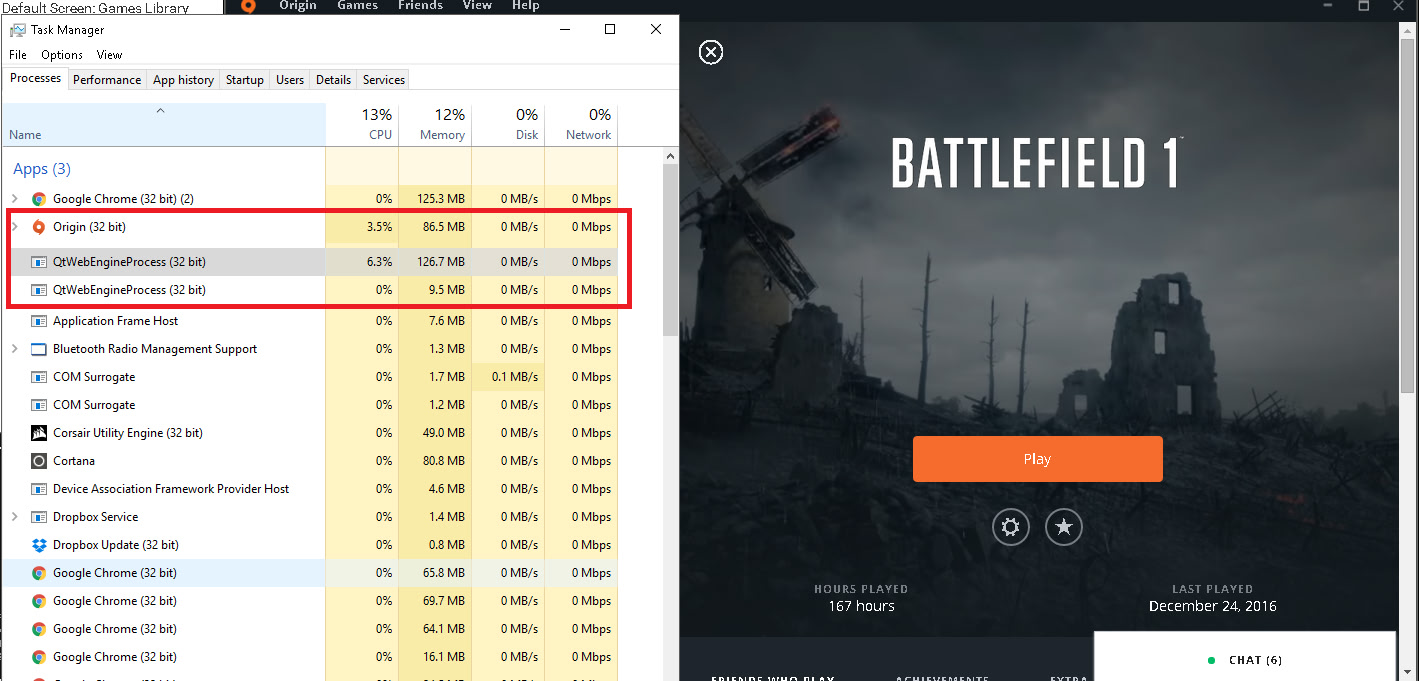
Dudes the Origin client on my pc is causing a 30% cpu load. Game after the latest patch became unplayable and my cpu was going up to a 100% load.
So looking into the internet I found a response from Origin support that if you click onto the account settings it will reduce the cpu load. And it does. For me from 30% in the store tab it goes down to 15% and the game is playable again. Try it.
no just click on the application setting tab as soon as you launch the game.
Apparently all these nice tiles in the origin store or your library take a lot of resources.
What are you talking about dude? When I idle in the “my game library,” I get about 150k KB of memory (combining Origin.exe and QtWebEngineProcess.exe). If I switch to application settings, there is no change in memory used. Are you sure that you haven’t changed any options in addition to this?
To compare this to Battle.net client, it uses 100k KB of memory. It shouldn’t have a massive impact on running BF1. The problem lies in BF1 or the NVIDIA/AMD drivers. Unless you can run BF1 without Origin (or disable the QtWebEngineProcess.exe that runs with the Origin client, without actually closing Origin), there is no meme you can do to reduce the memory used by the Origin client.
EDIT: If you disable Share Interaction Data and Share Hardware Info, it seems to reduce some of the memory used. Unfortunately, you won’t be sending any of the details for any errors that occur, such as the infamous DirectX error.
Not possible. 1) it cannot be using 150kb of RAM, that’s simply ridiculous. 2) it uses at least 50mb and up to 20% cpu usage while doing nothing.
3) the OP is right. If you go into the settings page, the CPU usage drops from 20% to 1 or 2.
However the two processes still use well over 80mb combined. For them to use 150kb is simply completely impossible. I think you mean 150mb. No app uses that small amount of RAM, certainly not origin
If you don’t believe the OP or me, do some googling and you’ll see.
Oh and btw, battle.net never used 100kb of memory. I challenge you to find any games platform, be it steam, origin, uplay or even GoG that uses less than 20mb. You’re really either talking out of your , or confusing Kb with Mb
Thanks dude! You solved my problem> I was trying to figure out what the hell was going on with the CPU usage and the damn QTwebengineprocess crap! Opening app settings before (use desktop shortcut for game) or just after launching the game solves it!
They need to fix this crap!
112 mb seems normal but the newer version of Origin chews the hell out of CPU. Maybe there’s a reason it doesn’t affect you and others, but it’s certainly not an isolated issue. What OS are you using and what’s your CPU? I’m on Win 10 with an i5-3570
Right now I’m looking at mine and I have 150mb combined and 16% Cpu usage. That’s while in library and BF1 clicked on (so you see the animated background). If I click away from that, so it’s just in the library I still get 6-8% cpu usage. If I click on application settings, I get 0.5-1% usage.
Weird right? I mean it shouldn’t be using any CPU while minimized and idle, especially if you’re playing a game.
I’m running the latest beta version on windows 10 pro 64bit, i7-3770k, 32 GB ram. With just origin open to the my game library it idles between 0%-0.9% and 100MB- 120MB
I was just commenting on my experience, I did NOT bash or say anything about the issue not existing. Many bugs/glitches affect many users due to any number of reasons. No need to shout at me.
150k kB, as in 150000kB. You need to work on comprehension skills bro. Have you never heard of people abbreviating figures in the thousands by using the letter k?
Also, 150 kB or 150000kB doesn’t matter. Battle.net uses a similar amount of CPU and no problems there that I’ve ever heard of. The problem lies mostly with Battlefield 1 and all fixes SHOULD be focused on it. Optimizing the client can come later; optimizing Battlefield 1 is far more urgent and will do more than focusing on a piddling difference of 50k (ie. 50000) kB.
English is not his 1st language I would imagine, maybe you should work on social skills some… Also there are 2 different teams working on each thing, Dice of course is working on BF1 where EA has a team working or Origin, why would they have the Origin team working on BF1, They are not the same groups of people, EA just publishes BF1 and slap EA on it really.
Anyway Origin does not eat much resources on my system, But in the application settings in Origin I’ve disabled/changed the following:
Default Screen: Games Library
Participate in Origin client betas: Disabled
Origin Helper Service: Disabled
Scroll back up and click on Diagnostics and I disabled the following:
Share Hardware info: Disabled
Share system interaction data: Disabled
Up top again where It says Notifications I disabled all of them just because Origin Minimizes fullscreen games when a friend goes online or offline or sends a message or Invites, Its annoying, and I’ve disabled Origin In game.
Origin uses next to no CPU time, but when you Open BF1, close that Rainy background image when you click play, it uses like 20% of my CPU if I leave it open.