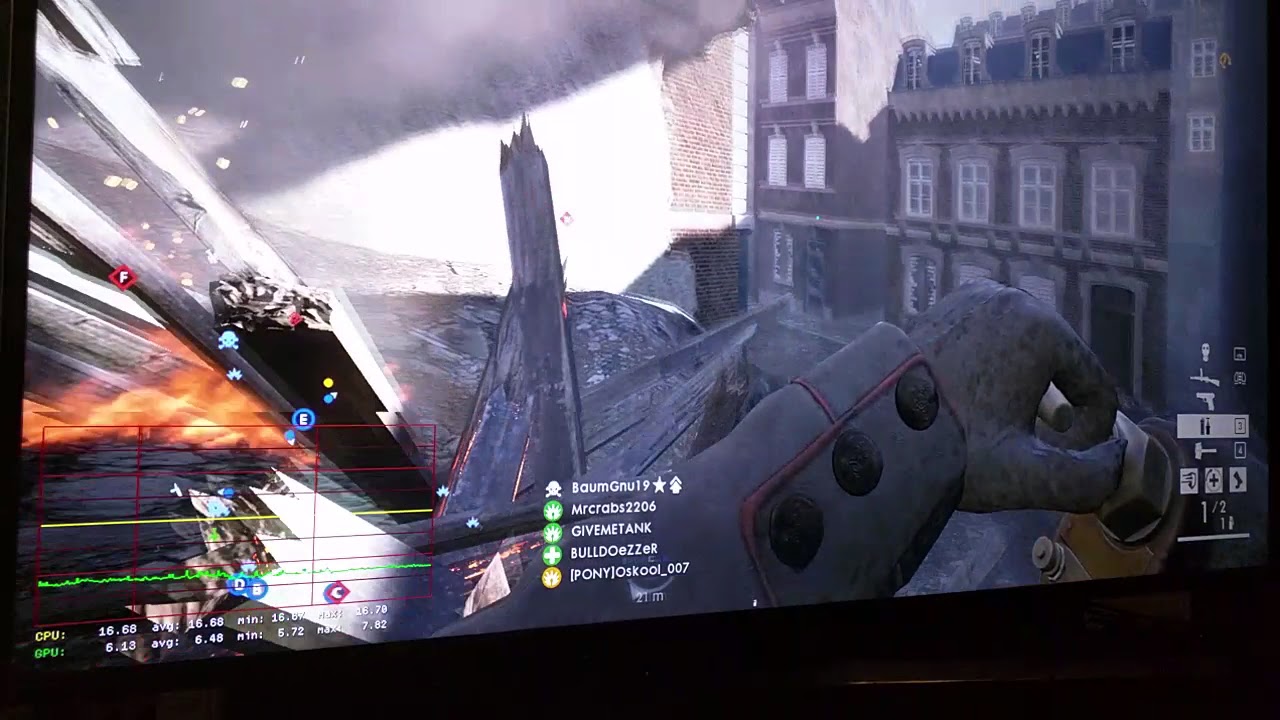
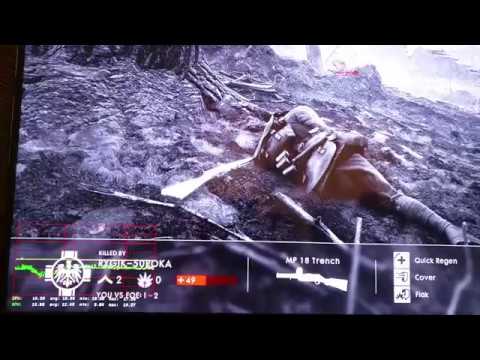
Here’s a video I made on 3/11/2018 demonstrating that I don’t have any CPU spikes in the BF1 performance graph. Except during death and respawn. I have zero yellow CPU spikes while I’m alive and playing the game.
I posted this because some people say it’s impossible.
Specs:
i5 6600 @ 3.6Ghz
GTX 1060 6gb
8gb x 2 dual channel 2133Mhz DDR4 using XMP timings (16GB total)
Win10 1609 with zero updates
BF1 setting:
1920x1080p
vsync off
low graphics preset
60fps cap
It’s certainly possible. I rarely get spikes, especially considering my crappy specs. But I would never run Windows without any security updates. That’s begging for issues. I’d certainly do the cumulative updates, even if you have to go download them manually to keep from upgrading. Those shouldn’t affect your performance.
Not sure if trolling or you just don’t know. But with his setup he can’t get FPS that high at 1080p. He made it clear that IQ settings are on low. So what’s your point?
yes death and respawn. of course. People complain about respawn spikes on paschendale, cause its noticeable onscreen without the graph.
And how many players on this server? whats your fps and settings? why are you always so far away from everyone else? lol. And why is the screen constantly freezing?
Spikes in the graph don’t always equal performance loss which is why people should ignore it unless noticing problems without it.
64 players on the server. 60fps cap. Not being around a lot of players is just how the game turned out. I don’t get CPU spikes on any map, not even on Paschendale.
It looks like the screen is freezing because the camera on my phone records at 30fps, but the game is displaying 60fps. There’s no freezing when viewed with the human eye instead of a 30fps camera.
Spikes in the graph represent a spike in frametimes, which amounts to stutter.
looks like its skipping massive frames though. In one shot you appear in the beginning of road and screen freezes and you are somewhere else. I’ll take your word for it though.
And no, spikes don’t always equal stutter. as you’ve just demonstrated. In paschendale I see stutters when spawning, but don’t see it on any other map. Even though I get respawn spikes in graphs as you do on all maps.
The graph is meaningless unless you actually have issues, and even then I don’t know how its going to help. I guess one example would be if you are getting audio dropouts and want to know if its cause cpu stability or not. But Some people think they have issues because they are looking at the graph and start chasing ghosts instead of just enjoying the game.
Yes. I want to revert to version 1609 as well(since I got not CPU usage spikes on that version), but not applying updates is basically asking for someone to compromise your PC when you, inevitably, slip up with regards to security,
If someone personally targets you nothing you can do will help anyways. But that being said you don’t want to be low hanging fruit and should at least update to stop the basic random attacks.
I’m not sure why you would still be getting spikes due to the latest windows build.
I’m not sure if the CPU spikes are happening due to the latest build, or the last few updates for BF1, or even a combination of both. However, I did notice these spikes increase considerably ever since I upgraded to 1709, whereas I had practically gotten rid of them with the Anniversary Update after tweaking a few game settings here and there.
New video. This time with all Ultra settings, except for Effects Quality which is set to medium. People say Passchendaele map really stresses the system, so that’s the map I chose.
By the way, if you want to get rid of respawn stutter on Passchendaele, set Effects Quality to medium. Close and restart BF1 for the changes to take effect. This also gets rid of all CPU spikes during gameplay. At least it did for me.
Once again I’m running a 4 thread CPU at stock frequencies with Ultra settings and have no CPU spikes. Nothing is overclocked on my system. That being said, I prefer playing at low settings. The mouse and game is more responsive at low settings for me. I feel it gives me a competitive edge.
Specs:
i5 6600 @ 3.6Ghz
GTX 1060 6gb
8gb x 2 dual channel 2133Mhz DDR4 using XMP timings (16GB total)
Win10 1609 with zero updates
BF1 setting:
1920x1080p
vsync off
All setting on Ultra except Effects Quality which is set to medium
60fps cap
@ keinengelX
Go to Control > Advance > Turn on network graph
Go to EA server’s with names like: E.A. or Dice East, West, etc.
Even if you have to wait in line (which is usually the case).
See if that server gives you better performance.
You should notice a few things:
Server Tick should be below 11ms
Network Variation should be below 9ms
Extrapolation Offset should be below 20ms
This is irrelevant to those gaming at over 60hz. Majority are gaming at 144hz at higher resolutions. You have your resolution set to under 60hz in the settings and capped at 60fps, which obviously works for you but does not really “prove” anything imo.
Varying from setup to setup, capping at 60fps or even 70fps is not an option for people running at refresh rates of 144hz or higher, as game play becomes choppy as hell. Also your not “pushing” your system in that video, your gpu line is way under your cpu line which indicates your gpu is not running at 100%. Both lines should be tight and consistent and as flat as possible. However, I do believe the cpu spikes can be reduced by reducing graphics settings and having fps capped at around 120 regardless of how powerful someones pc is, its just the game, people need to stop worrying about lines in their performance graph and just focus on and enjoy the game
Actually, I have my FPS capped at 59.94006 in the user.cfg so it matches my monitors refresh rate. Sorry for the confusion. I do this because screen tearing is bad on a 60Hz display if the framerate doesn’t match the monitor’s refresh rate. I’ll take a smooth 59.94006fps over a juddery/stuttery 70-80fps due to screen tear line strobing across the screen causing judder.
I made a second video running all Ultra settings, except for Effects Quality which was set to Medium. I still did not experience a single CPU spike even on Passchendaele. I pushed my GPU so hard that at times the green graph lines shot up above the yellow line. Still no CPU spikes.
I believe people running high refresh rate monitors with powerful i7 processors can also achieve high frame rates free of CPU spikes. It’s all about knowing your system’s limitations and capping the frame rate at a minimum FPS the system can handle.
I believe most people try pushing their systems beyond their limits. Yes, tweaking graphics settings also helps as I found out in Passchendaele. I was getting CPU spikes in that map with Ultra settings until I reduced Effects Quality to Medium. In order for graphics setting changes to take effect you must exit the game and restart it. Most people probably think you can tweak these settings on-the-fly while playing the game. Wrong! It requires a restart.
I’m a little bit sceptical looking that straight cpu line. Seems too straight with no changes. If you look the Windows resource/performance monitor or anything else showing CPU usage, it’s never constant, not even in idle. Only place I’ve seen that in console graph is when choosing directx12 and that is because graph is not compliant with directx12. Ru sure it’s showing correctly the cpu usage?