If anyone uses it, would you recommend it for BFV? Does it help with visibility?
No this does not help.
Considering it has a zoom cheat/hack I think it should be banned from BFV
Not helping with visibility. This is a myth about it. It only gives stuttering and frame drops. You may have stable fps in a good gpu, but if you tick ‘‘Frametime’’ at RS settings, you will notice how much slower your frames rendering.
Blue tint & distance haze need to be removed for better visibility, which I don’t think Reshade does.
No it doesn’t, The “Zoom” feature you’re speaking of, Is just cropping the image to see further away, But at the cost of losing near-side view distance, Plus the maps aren’t big enough to warrant the use of that particular feature anyway.
Now, If you were using that on something like Arma ( where maps can be 40KM big ) I could understand, But BFV it has no bearing on.
Reshade can reduce blue tint for sure, You just need to bump up the red and green to counteract the blue, Or reduce the blue enough to make the image appear warmer.
But you don’t even need to use Reshade for that if you have an Nvidia GPU, You can use NVidia Freestyle which is built into Geforce Experience and do everything on the fly using sliders.
@LOLGotYerTags Tags do you see a benefit in using reshade or is whatever it does just cosmetic in nature.
The best way to describe what Reshade is and what it does, Is that it’s basically “photoshop” for videogames.
Some filters give better visual quality without much of an FPS hit ( maybe 1-2FPS less than without using Reshade at all ) and some give a harder hit because of the image processing that has to be done prior to the image being output through DirectX to your GPU.
For example, A lot of users here feel that BFV’s anti-aliasing blurs the image far too much ( I somewhat agree with them ) so enabling a sharpening filter via Reshade helps with making the image sharper without going too overboard.
It’s more or less about taste though.
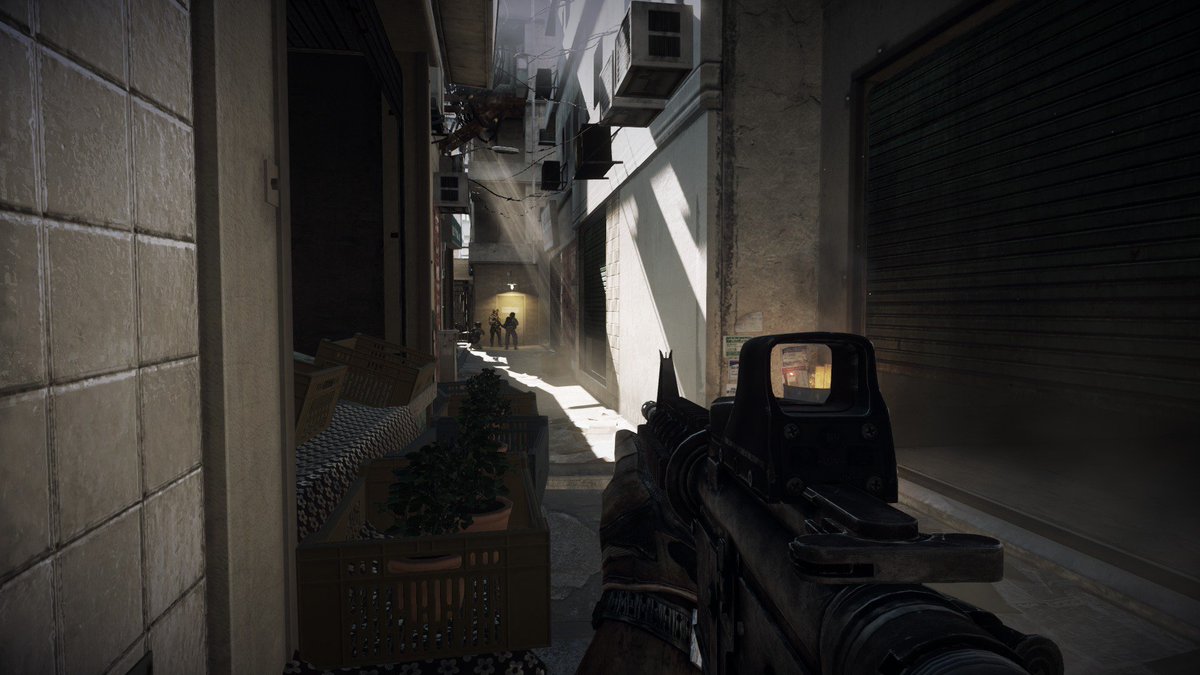
I did a comparison using Nvidia Freestyle in BF3 where one image was vanilla, and the other was after I’d made a few changes to warm the image up and the difference is literally night and day.
I’ll link those below :
Vanilla :
Freestyle :
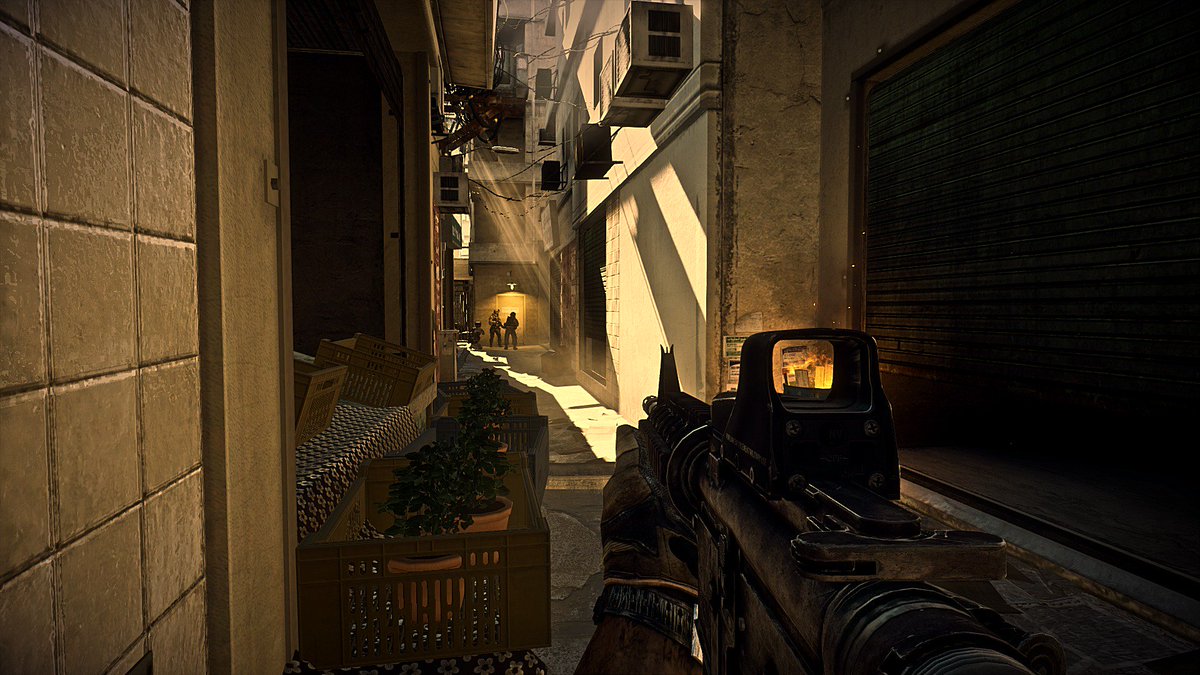
Nice. colours are much more vibrant with freestyle. I’ll give reshade a try.
IF you’re going to give Reshade a blast, I highly recommend going to the Reshade preset website which has a tonne of user made presets that you can download to save you a lot of fiddling around with settings.
https://sfx.thelazy.net/games/game/2014/
Click on any of the presets on that link and you will be able to view screenshots showing what the preset does, Some even come with a comparison image where you can drag the slider to the left / right so you can see exactly how the final image will look once the preset is applied
Nvidia freestyle filters, it’s ReShade btw. All filters are from ‘‘Marty McFly & Crosire’’, authors/creators of ReShade/SweetFX.
https://reshade.me/forum/general-discussion/3875-looks-like-nvidia-thinks-reshade-is-awesome-too
I use custom color profile for games/videos In NV panel, does very well with bf5. Reshade was either to much color and vibrant/ or dark. For me I use blue light glasses which does help with visual confusion with lighting. Second thing with reshade is, we are change codes for the graphic card shaders, this can have horrible results to the g-cards components. Adding vibrant color enhancements to videos/games add extra heat to g-cards causing artifacts and memory errors.
^ it doesnt change codes or anything for graphics card components.
I’ve been a regular user of sweetfx/reshade/fxaa_injector and now Freestyle with no ill effects.
Unlikely to do any damage to your GPU..
Just don’t do what I did with my GTX 780.. Render 32K resolution images with 3d software with real-time reflections and godrays and all kinds of good stuff.
I burnt out my 780 doing that..
Unless you can turn off TAA, all reshade will do is allow you to make the darker areas brighter, more colorful and the blur to be sharpened blur. So yes, better visibility, but since TAA destroys any kind of distance focus, you will always be at a disadvantage to those that can possibly still turn it off (if nvidias can still do it). Beyond that, the only option is scaling the game via the resolution slider. Which, again, kind of helps, but only if you can do +33% and up.
NV Freestyle is a better option. It has been a few months that freestyle has improved its settings. I cannot ever see not using freestyle.
@g0merpile is the difference that huge!? Maybe I gotta give it a try then, any tips for which particular settings to use?
Really the best way is to set each setting for your own eyes, allowing your eyes to adjust after each setting.