I was looking into why my game was crashing and it is related to the ram. no, your ram is not bad but their is a bug within the game where it will keep loading game data to the memory of your ram at a speed where your ram cant deem that it doesn’t need it on demand anymore. for example, if you have 16gb ram, it will keep loading data from your ssd/hdd and fill up all that space as the game doesn’t recognize unneeded on-demand data and causing a soft crash with no error because it is a resource problem
I saw a solution on another post but nobody really followed up so I decided to give it a try.
essentially, the tool will determines how much free ram space you have available and starts removing data when you have 1gb left. lets say you have 16gb of ram, when you only have 1gb of ram space available because BFV is not actively removing old data that is not needed, it will remove the oldest loaded data on your ram allowing your game not to crash. This is was my solution to the no error crash to windows, and have been playing for the last 4 hours without a hiccup.
it seems that the oldest data that was staged in ram doesnt affect forward game play. i havent noticed any changes in fps, game quality, or error crashes if any off the cleared ram space has game structure data. i hope this helps.
I lowered my CPU OC from 5.2 -5.0 and ran single monitor setup with a 2080ti. Not a single BSOD or crash since. seems this game is very sensitive to any overclocks even if they are stable in bf1 or other games.
I don’t have any hard overclocks on my system other than RAM. My 8700K is set to turbo up to 4.9GHz and I have 4 DIMMs OC’ed to 3000MHz. It ran mostly fine during beta, and I expected better performance upon final release so I kept my hopes high, but this is a huge disappointment. The game is unplayable at the moment..
i have a similar problem, i open it and then autoclose, tried reparing and deleting setting on documents, not working, btw before the close the game star on windowd mode all black, someone know where are the setting files? maybe if i put it on fullscreen manually work
Hmm this is interestng as I was dealing with BSOD errors. I had 3 of them and all of them were different. I thought my HW was dying on me so first I went with clean W10 install but then it happened again. After a chkdsk it noticed that my C drive was corrupted. Since that drive is quite old I just replaced it.
Now I am just dealing with random gamecrashes so far (I replaced this drive like 4 hours ago)
Yup pay 200 bones for a GPU upgrade and the game doesn’t even attempt to load the map now just crashes no error. This is annoying.
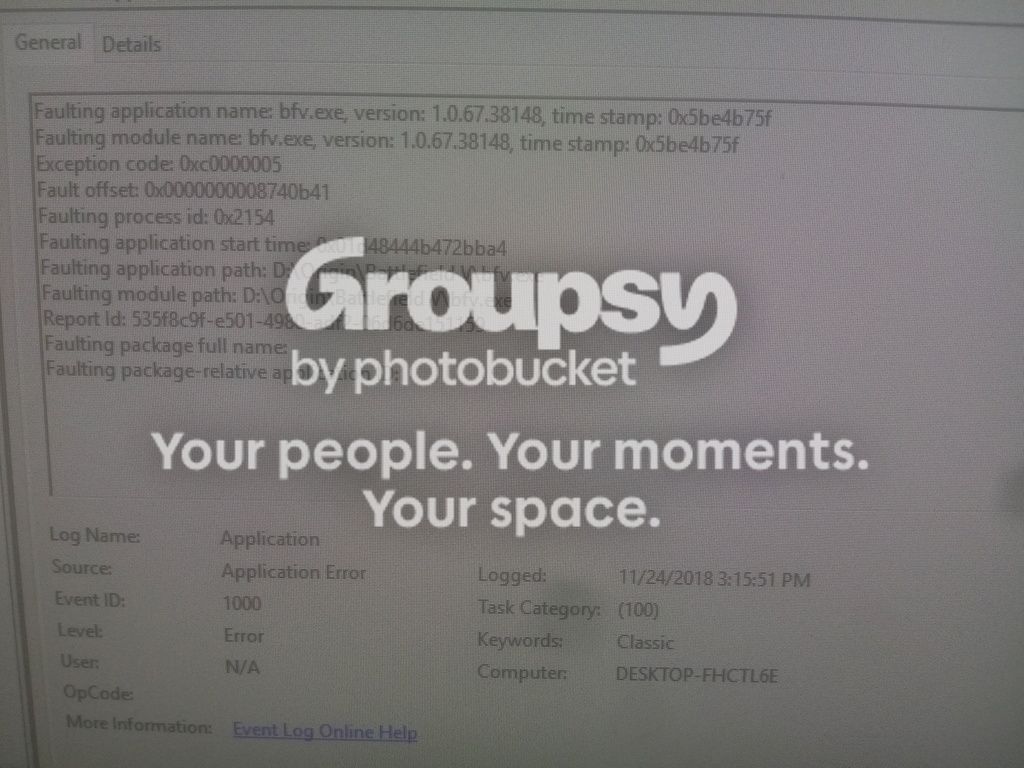
Level Date and Time Source Event ID Task Category
Information 11/25/2018 12:48:56 AM Windows Error Reporting 1001 None "Fault bucket 1511540266194424915, type 4
Event Name: APPCRASH
Response: Not available
Cab Id: 0
These files may be available here:
C:\ProgramData\Microsoft\Windows\WER\ReportArchive\AppCrash_bfv.exe_931677a43d4f99553442e046ba5c8dc02a893765_0483c4d7_18d237f6
Analysis symbol:
Rechecking for solution: 0
Report Id: 61e09ef6-d361-4c37-9d24-b346414281d7
Report Status: 268435456
Hashed bucket: 8ee044d804f399dc34fa11dd1637d453
Cab Guid: 0"
Error 11/25/2018 12:48:50 AM Application Error 1005 (100) "Windows cannot access the file for one of the following reasons: there is a problem with the network connection, the disk that the file is stored on, or the storage drivers installed on this computer; or the disk is missing. Windows closed the program Battlefield™ V because of this error.
Program: Battlefield™ V
File:
The error value is listed in the Additional Data section.
User Action
Open the file again. This situation might be a temporary problem that corrects itself when the program runs again.
If the file still cannot be accessed and
It is on the network, your network administrator should verify that there is not a problem with the network and that the server can be contacted.
It is on a removable disk, for example, a floppy disk or CD-ROM, verify that the disk is fully inserted into the computer.
Check and repair the file system by running CHKDSK. To run CHKDSK, click Start, click Run, type CMD, and then click OK. At the command prompt, type CHKDSK /F, and then press ENTER.
If the problem persists, restore the file from a backup copy.
Determine whether other files on the same disk can be opened. If not, the disk might be damaged. If it is a hard disk, contact your administrator or computer hardware vendor for further assistance.
Well, I think my crash scenario on BFV is slightly different, in that the PC just reboots - no BSOD, no warning. The only common cause seems to be fire fights and lots going on visually.
I have an EVGA RTX 2080ti, 16GB RAM, i7 CPU OC’ed to 4.2GHz.
Tried the standby list cleaner, and it didn’t work. Have also had a plethora of different crash types, from thread handling BSODs to “atikmdag.sys” DRIVER_IQRL errors to just plain reboots and now crashes to the desktop.
I don’t remember a single game launch in the past decade that just crashes for a large proportion of players and there is simply no fix at all. Not updating OS, Drivers, BIOS, adjusting OC, uninstall/repairing the game. Nothing.
So having tried all of the in-game settings to get the game working, standby cleaner enabled, I just got these three errors as reported in Event Viewer:
These files may be available here:
\?\C:\ProgramData\Microsoft\Windows\WER\ReportArchive\AppCrash_bfv.exe_7fcab347cf928e2442afa959c5133d4aa3f2f7f_0483c4d7_34cad9f6
See last night I played with no issues and today I played with no issues, I did nothing…I know it’s Buggyfield V after that last update, so lets see what the next “fix” will do to the game for many.
I genuinely managed to play an entire night completely fine (albeit on Low settings). Load up the game after a few days and it crashes a second after I click spawn.