Hey, or maybe it’s Denuvo messing up again. If i remember correctly GTA V suffered some performance issues from it aswell
Actually, I am mistaken regarding the Gas.
It actually does look like that in the campaign ( I have just played the first mission and it is there )
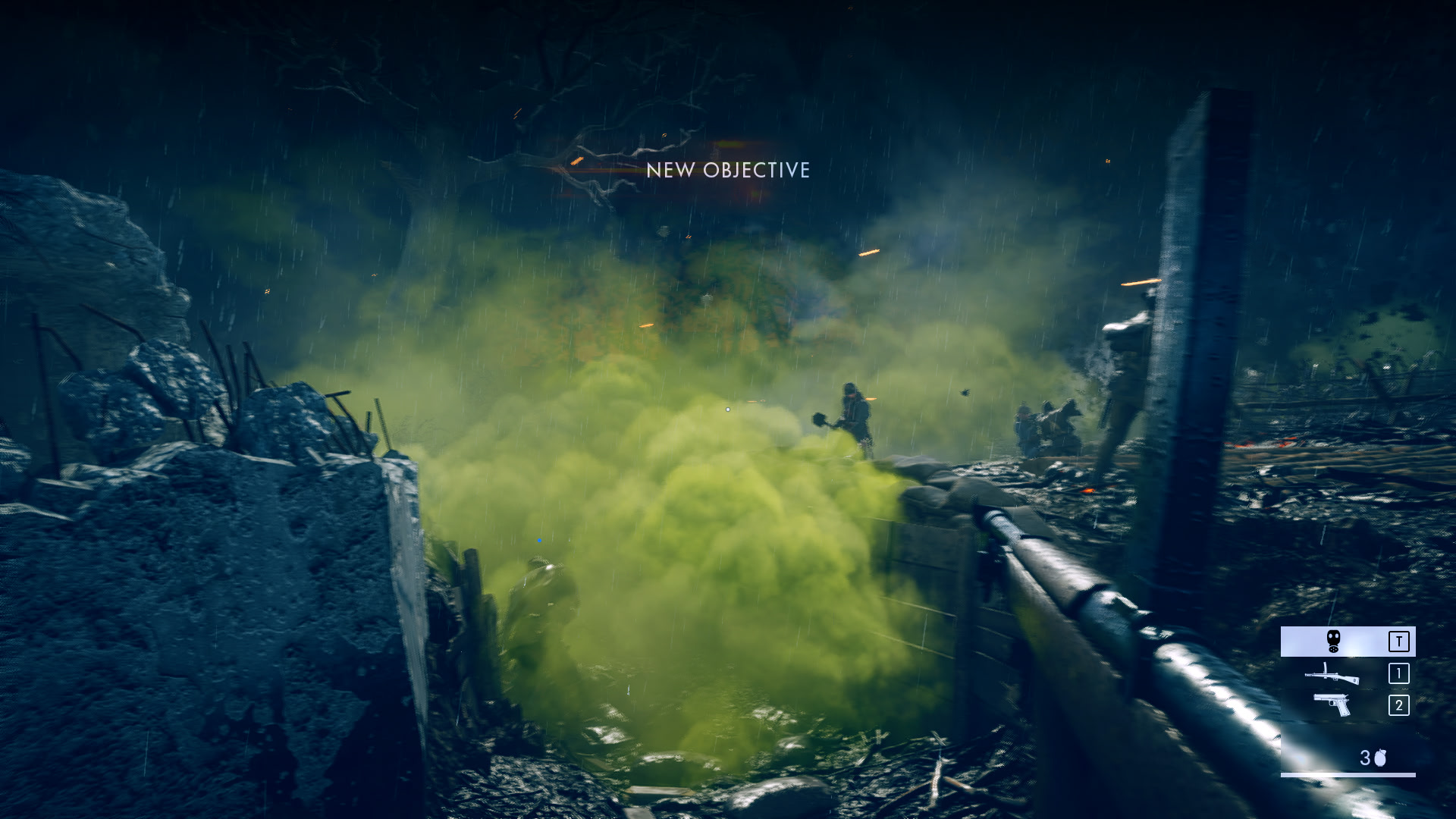
And THAT’S looking totally fine! Completely as on the trailers/beta.
Looks that they downgraded only MP mode.
I have a somewhat barmy suggestion for you guys.
Can you create a new folder within your Documents folder, And then right click the BF1 folder from within your documents and move it to the new folder and then relaunch the game?
See if this solves the issue, Your campaign progress will be lost when you load up BF1 so complete the first mission and then head into multiplayer again and see if the visuals are still “nerfed”.
I am just about to head into an empty forest server to see if indeed it has changed anything.
They downgrade the PC version to make console looks good or what? why doing it?
Argonne forest on C flag seems quite bland.
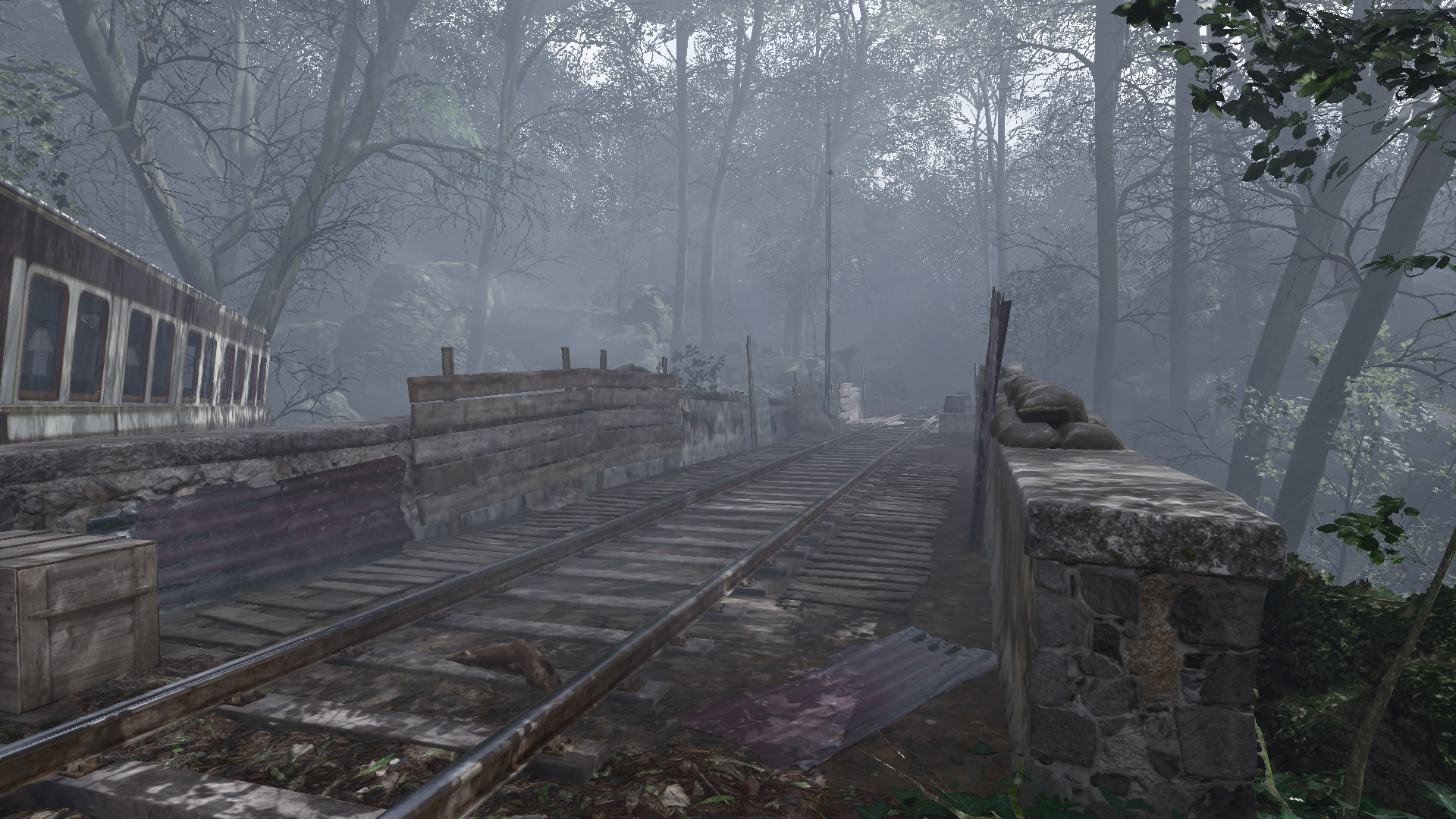
It appears that Parallax occlusion mapping is either broken or outright disabled which can explain why there seems to be less “substance” to the maps in general.
Parallax occlusion mapping is a tech that gives flat textures the appearance of having depth, e.g cobbled roads will look like they are cobbled rather than a flat texture of cobbles on the ground.
Parallax occlusion mapping would make cobbles appear to have dips and bumps and lighting casts shadows between each “cobble”.
They downgrade the PC version to make console looks good or what? why doing it?
So, when they fix it? I really don’t understand why they released the patch? even the quiet button doesn’t work.
The worst thing is, the patch brought nothing but problems. Why can´t they just roll back I mean that shouldn´t be too hard, right?
There should be an optional patches installation.
ARE YOU SOURE TO INSTALL THE NEW PATCH?
-
Yes, I would like to risk
-
No
I don’t think it is intentional to be quite honest, It happens.. patches can fix some issues and inevitably break other elements.
There is obviously something causing things to not be rendered correctly in the render pipeline, Once DICE have found the cause though, I don’t think it would take too long for them to push out a patch to resolve it.
going by how long they took to fix similar issues with other battlefield games don’t be surprised if it takes over a year to fix.
Something definitely is wrong for me. My system:
New GTX 1060 6GB (latest drivers)
Windows 10 64bit
16 GB RAM
Intel Core i7 3770k
It ran at a smooth 60-90 FPS at 1080P with everything ultra before the patch. Looked great. After the patch, I get 42-60 FPS, and the game looks worse. Doesn’t look as “crisp”, textures appear to be blurred, and Monte Grappa has a weird appearance, see screenshots.
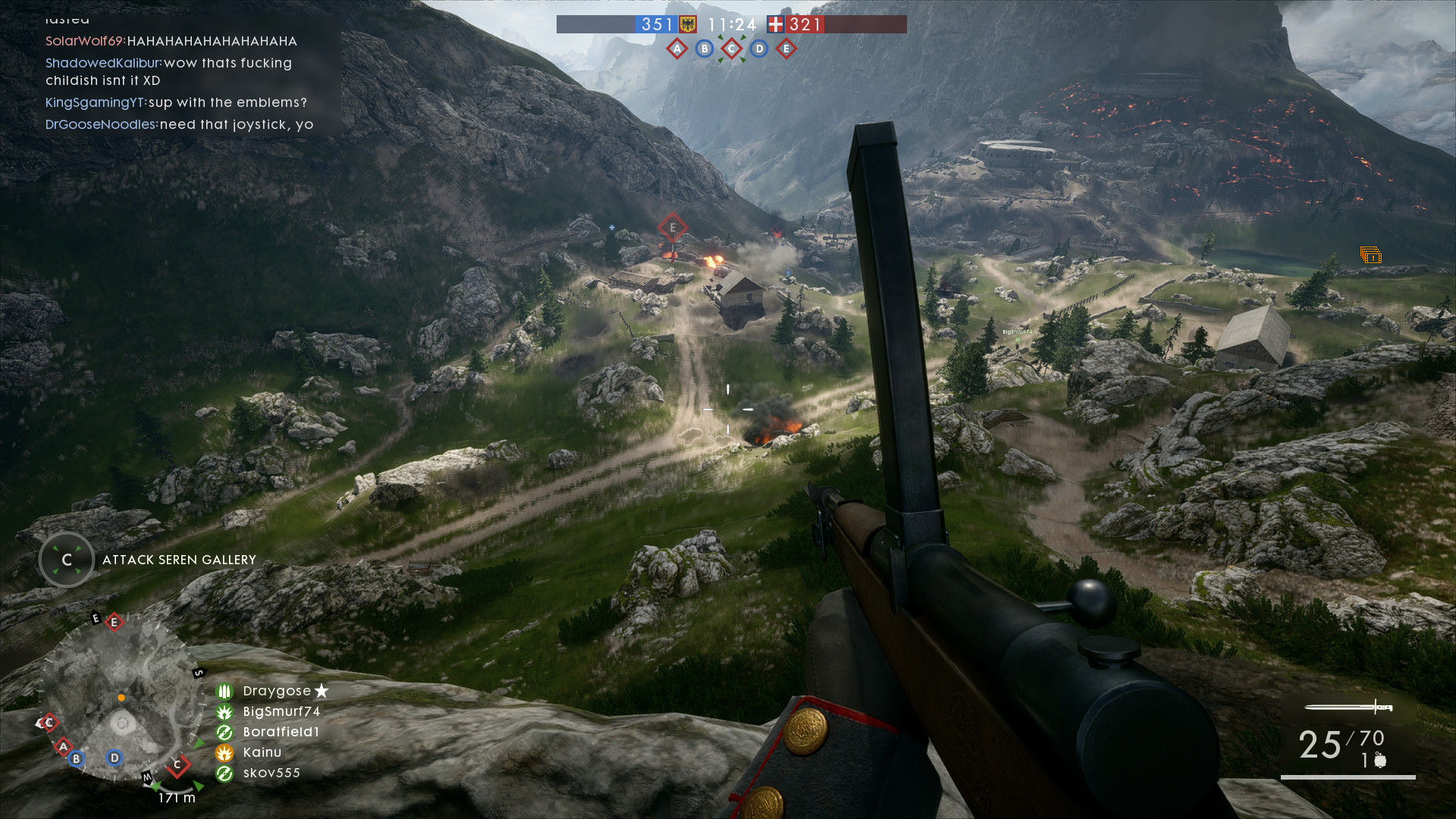
The bottom image puzzles me, rocks on the mountain are more crisp than the ground in front of it. Almost seems like the texture is doubled.
Yea there’s definitely something wrong with the distant LOD. I noticed it on scar. The terrain/foliage in the distance takes much longer to load and in some places, it doesn’t even load at all.
They should give us an option to enable this in the video settings for multiplayer. I don’t care if my fps becomes worse but if I can run the game decently then I can live with it.
just loaded the game and dice have put a video up with the title “How we improved battlefield 1 with the fall update”
ROFL
That is what I notice in the maps, parallax occlusion mapping must be bugged and makes ultra settings look like medium
i fix that blurry effect on Nvidia Control Panel, enabling Anisotropic on 16X, maybe 8X works too, but the flat ugly texture still there
I was able to slightly fix the washed out look. After I updated my drivers, there was a setting that got reverted.
Within the nVidia control panel under Display > Change Resolution, there’s a couple settings called “Output color format” and “Output dynamic range”. I changed mine to “YCbCr444” and it made my plasma display pop with depth and color.
Thanks DICE, this was my first normal BF that i bought on the release(BF4 on sale 3$ with all the DLC, BF3 via origin free in 2014), only for this game i get my first own credit card, a new 24 inch monitor, new graphic card after the beta.
LOOK at the plants on the rock, right side.
Thats the worst. Flowers look like sprites now on this map.
Overall, I have the same issues, graphics look way way worse, than before ( all ultra, 1080p ) and even after hotfix of nVidia, the FPS are lower than before…
Can you tell us how the status is in dev department about a fix for this?