Simplified instructions: Battlelog Playercounts Fix, BBlog
.
Although BBlog has stopped development, it is still possible to install it in your browser!
.
First of all I want to thank the BBlog developers for their awesome work over the years. Their plugin made huge improvements on the Battlelog platform and made playing the games using Battlelog way more enjoyable for many.
.
While development may have stopped, the BBlog developers made their work and plugins available on GitHub. For Chrome users the BBlog plugin is still available in the Chrome plugin store.
.
New Firefox instructions: Battlelog Playercounts Fix, BBlog
Firefox users can download the plugin file here and then install it manually. This can be done by pressing the button with 3 stripes in the right corner of your Firefox browser (
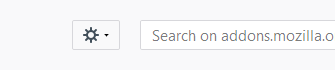
) → Clicking the Add-ons tab → Clicking the small gear icon (
) → selecting the .xpi file you just downloaded in the explorer window that pops-up.
.
Edge users can also install BBlog with an additional plugin as xfileFIN explains here: Battlelog Playercounts Fix, BBlog
.
. What can I do with BBlog?Guide updated with fix for broken scoreboard on 17 june 2018, thanks @xfileFIN for making the TruePlayerCounts plugin and Battlelog fix!
.
You can install a plugin that shows you the true amount of players on a server! This plugin will also fix the broken live scoreboard on server pages.
.
After installing the browser plugin and restarting the browser, go to Battlelog and hoover your mouse over the new slider that appears on the left side of your screen.
. People that were already using BBlog and experience Battlelog freezes since +/- 15 june 2018, start the TruePlayerCounts tutorial here!. New users can continue with this tutorial.
.
.
.
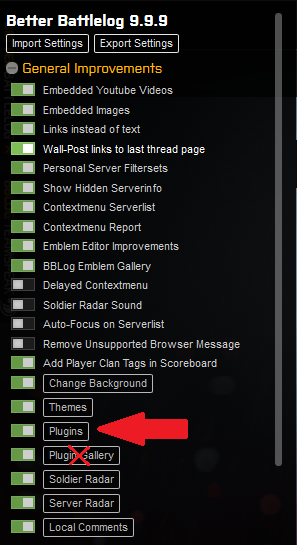
Click on the Plugins tab within the starting menu of BBlog (not the Plugin Gallery tab!)
.
.
.
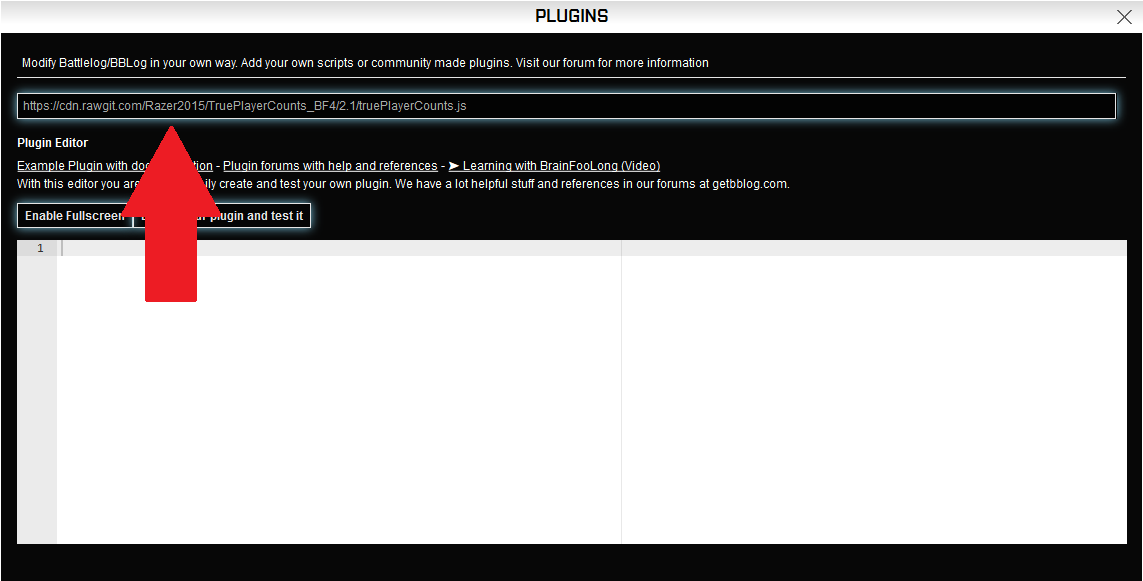
Press enter and refresh your browser. You are all done now!
.
.
. Known problems with fixes
. After I cleaned my browser cache and / or used a program like CCleaner, the plugin is gone?
.
BBlog is stored in browser memory. So it could happen that after you did a browser cleaning, some plugins you added to BBlog are gone, or even BBlog itself is gone. Follow the steps again to re-install them.
.
. List can be expanded. List your problems in this thread.
Installing BetterBattlelog and TruePlayerCounts, the right way.
.
**1.**Which browser you want to use? For Chrome, continue to 1a. For FireFox, go to 1b.
.
.
**2.**Restart your browser.
.
**3.**Go to https://battlelog.battlefield.com
.
**4.**Hoover your mouse over the new slider that appears on the left side of your screen. (example below).
.
.
**5.***The settings tab appears. Click on the Plugins button within the settings tab of BBlog *(not the Plugin Gallery tab! Example below).
.
Haven’t tried the fix yet, but thanks for taking the time for this thread.
Edit: I’d also like to thank the creators of the plugin and the fix for the true player count. Glad some people still care about the game at this point.
Im not holding my breath. Such a shame too because the in game ui is truly trash tier. It might actually be the worst server browser of any game ive ever played. Battlelog has/had issues for sure, but its lightyears ahead of the “new” ingame ui